 TopLikers
An Instagram likes viewer pulls together every Instagram liker on a profile’s posts, so you don’t have to open each one. Here’s how to see who’s liking a friend’s, a partner’s, or anyone else’s pictures, and how to track it over time.
Want this for someone else? See who liked anyone’s post on Instagram, including friends, partners, and private accounts you follow.
In this guide
What you can see with a likes viewer
| Question | Answer |
|---|---|
| Who liked a post you can see | Yes |
| Who likes a friend’s or partner’s posts the most | Yes, with a tool that adds up the lists |
| A private profile you follow | Yes |
| Which posts one person liked on a profile | Yes. See how to see what someone likes |
| Likers sorted by traits like hair color or gender | Yes, in TopLikers chat |
How to see who liked someone’s post
On any post you can see, tap Liked by [name] and others, or others on the web. That works for one post. To compare a whole profile you’d have to open every post and keep your own tally.
See who likes a friend’s or partner’s posts
This works the same on your own profile, a friend’s, your partner’s, or anyone else’s you can see.
Step 1 Add the profile
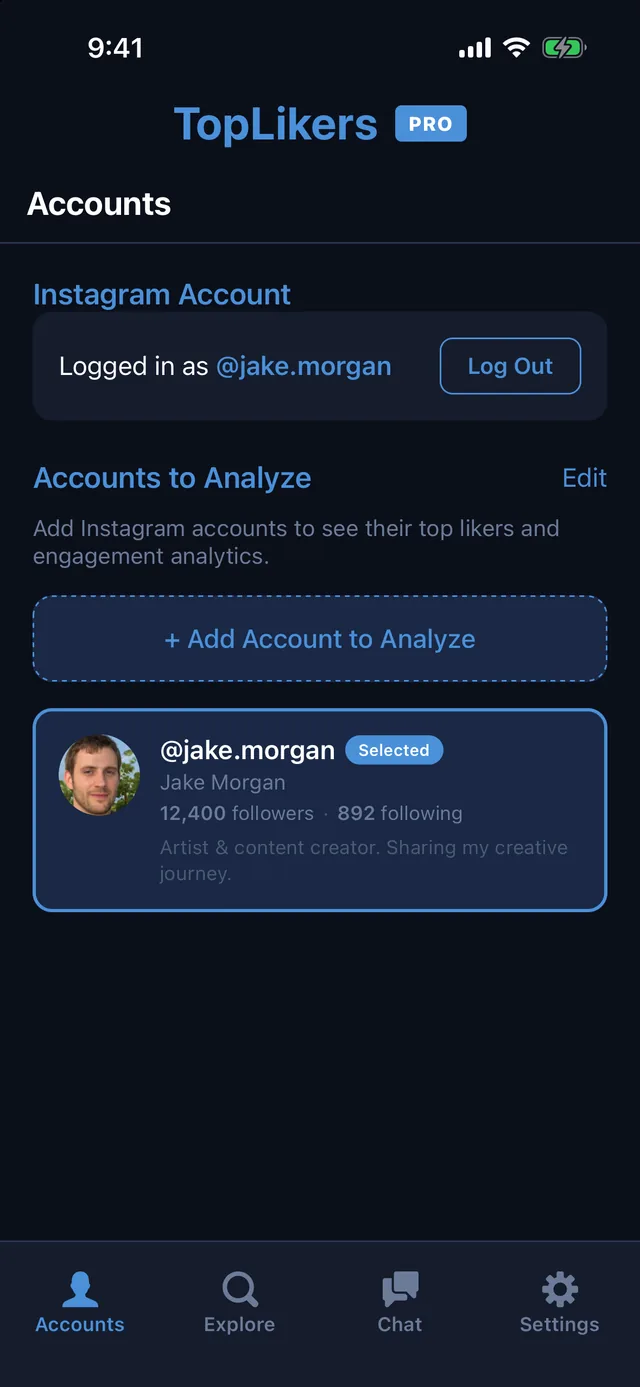
Install TopLikers, log in through Instagram, and open Accounts. Tap Add Account to Analyze and type the username. It can be yours, a friend’s, or a partner’s, public or private, as long as your account can see it.
Step 2 Tap Analyze
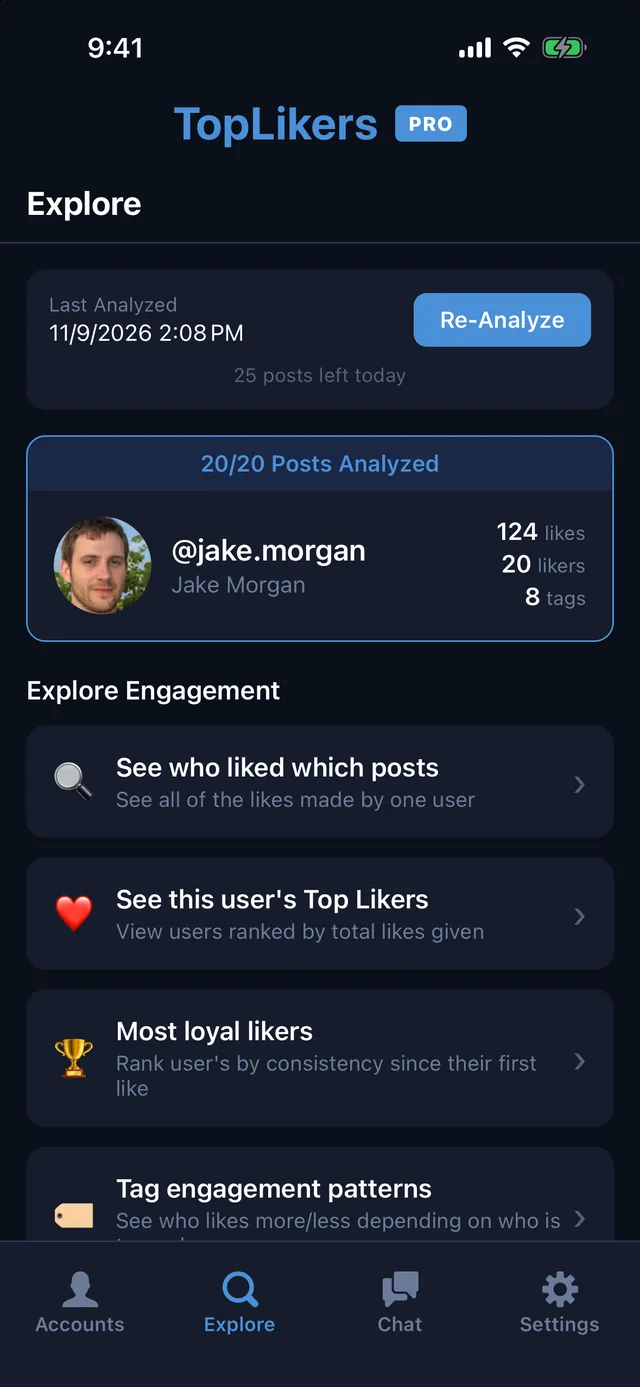
Open Explore and tap Analyze Now. Pick how many posts to read, and TopLikers goes through the likes on each one. When it finishes you get a menu of everything you can see.
Step 3 See their top likers
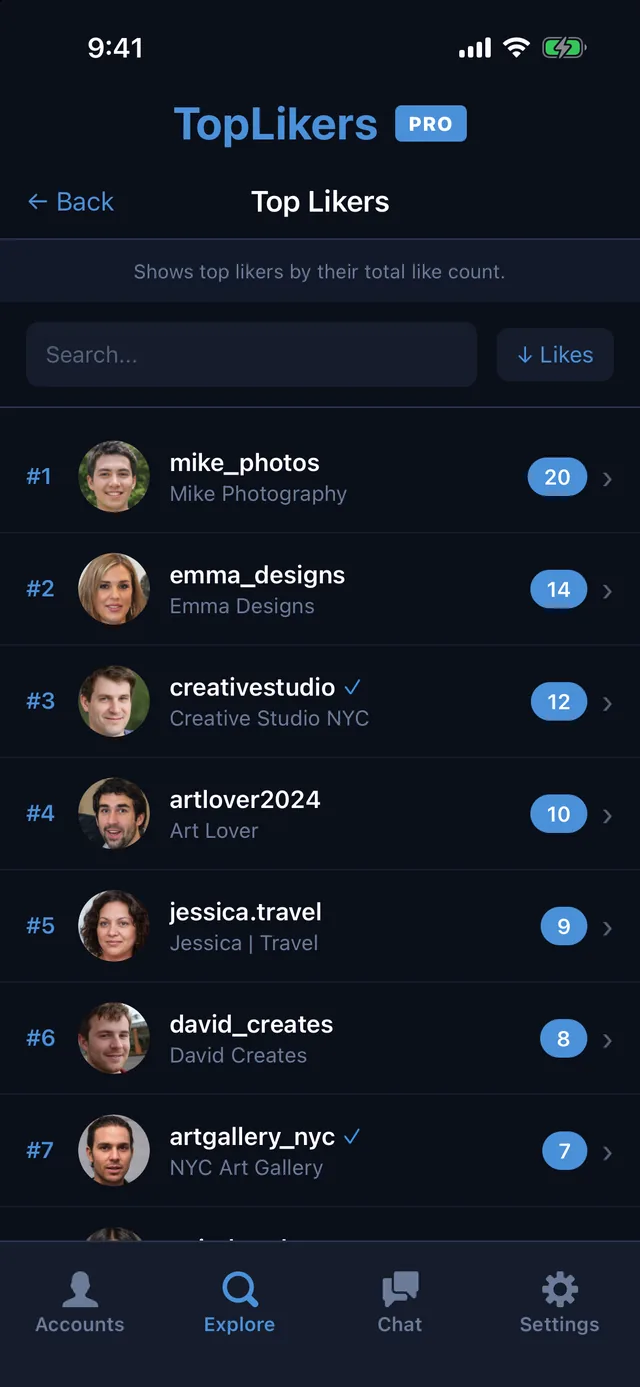
Tap See this user’s Top Likers for one ranked list of everyone who likes their posts.
Step 4 See who always shows up
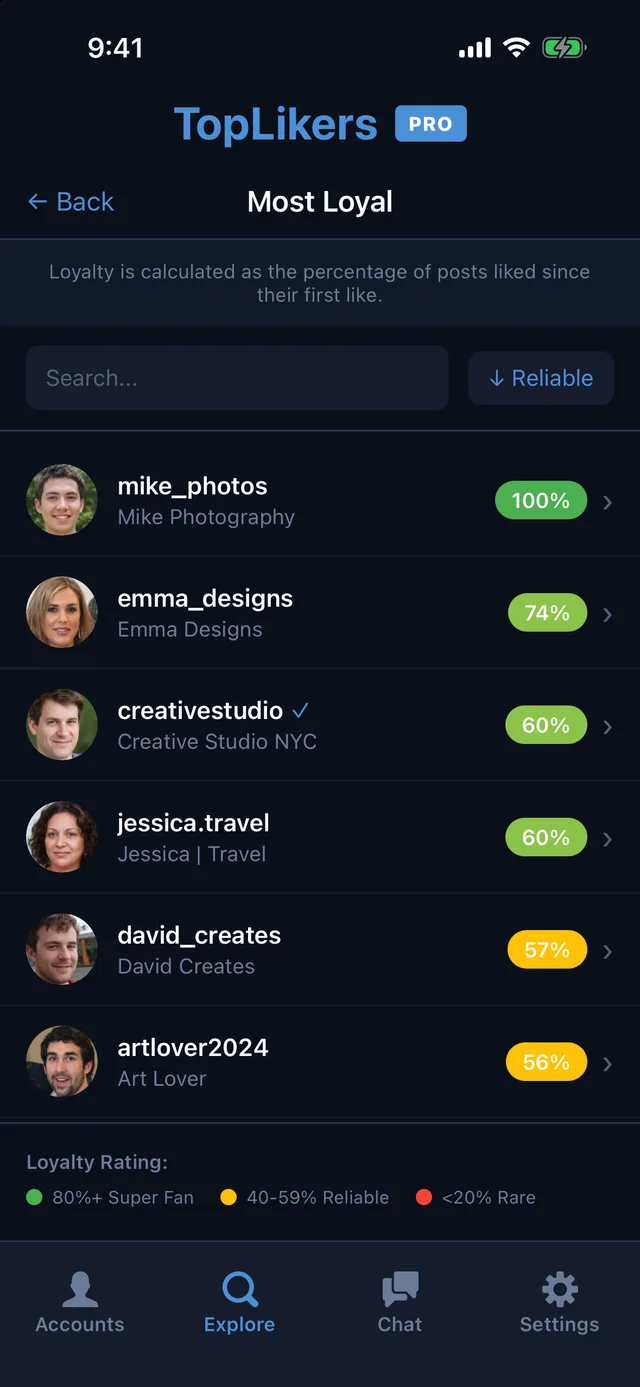
Tap Most loyal likers to see who likes nearly every post, and who only shows up now and then.
Step 5 See what one person liked
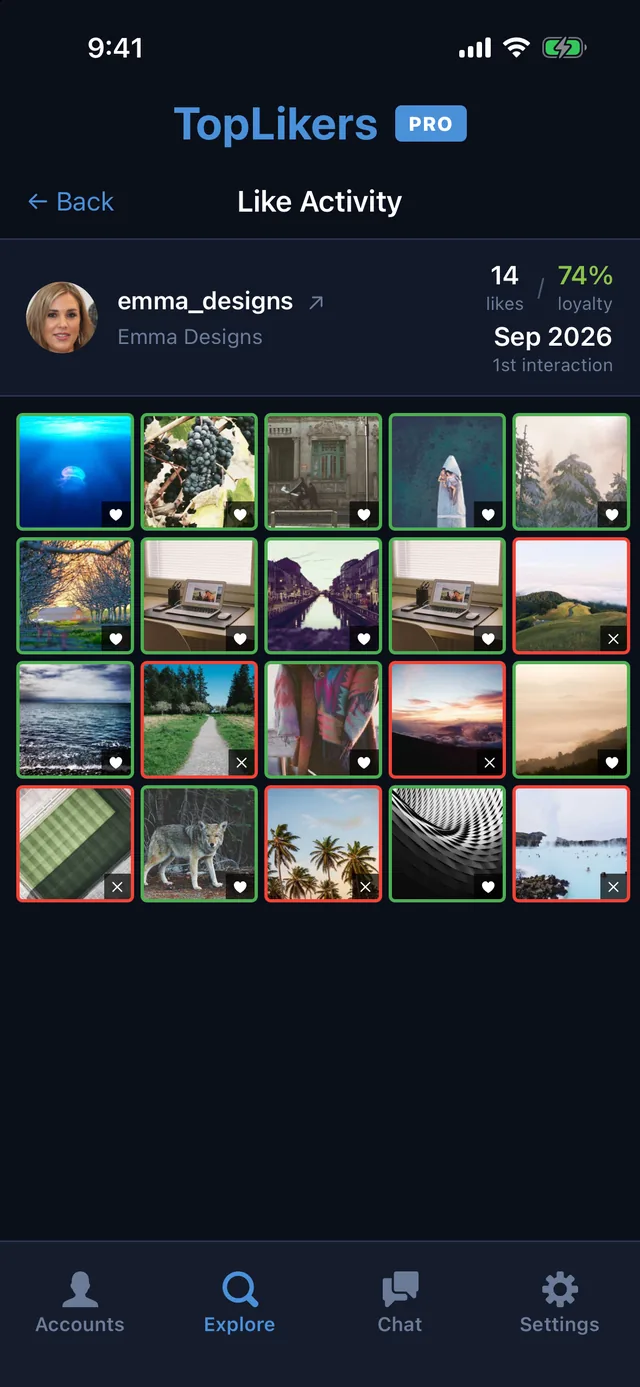
Tap anyone, then See their Like Activity, for a grid of the pictures they liked and skipped.
Use it as an Instagram like tracker
TopLikers also works as an Instagram like tracker. Each liker’s history shows how their liking has changed, so you can follow who’s liking more, who’s liking less, and who has stopped.
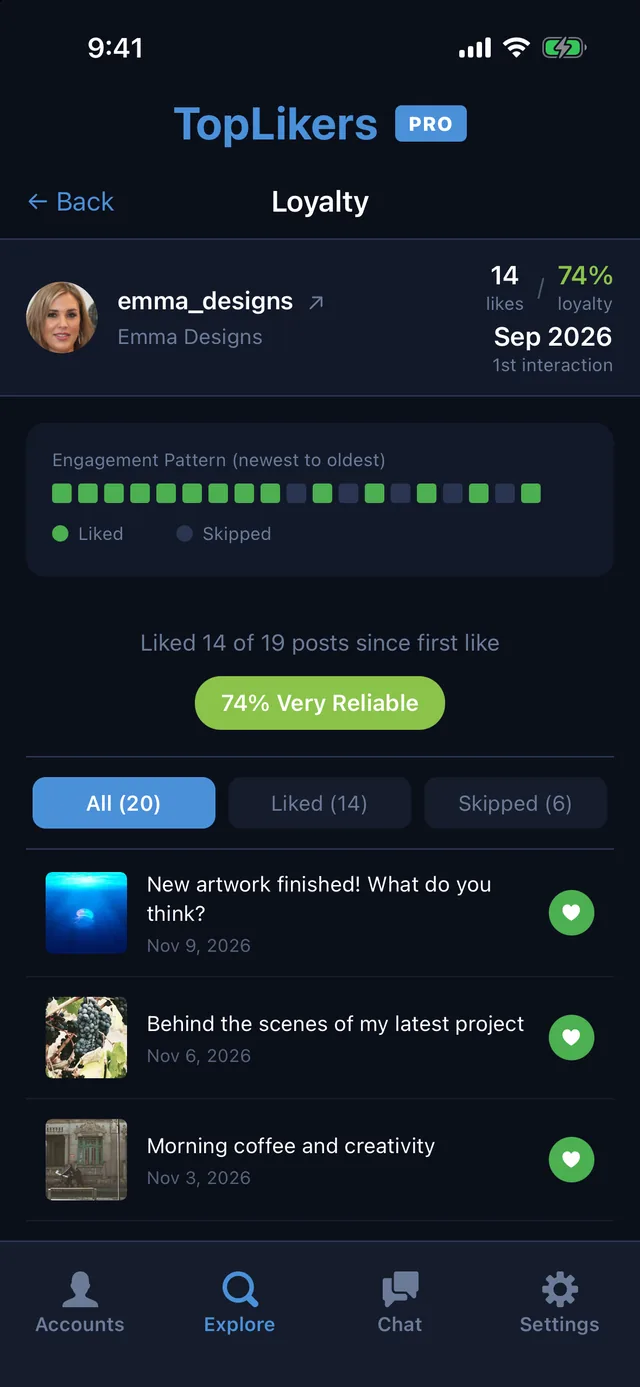
Tap Re-Analyze whenever you want the latest likes, then ask the chat who stopped liking recently. Every Instagram liker on the list has their own count, loyalty score, and post-by-post history.
Dig further with the chat
TopLikers also has an optional chat for extra sorting. Ask what girls liked your boyfriend’s posts, who stopped liking recently, or sort the likers by traits like blonde, brunette, male, or female.
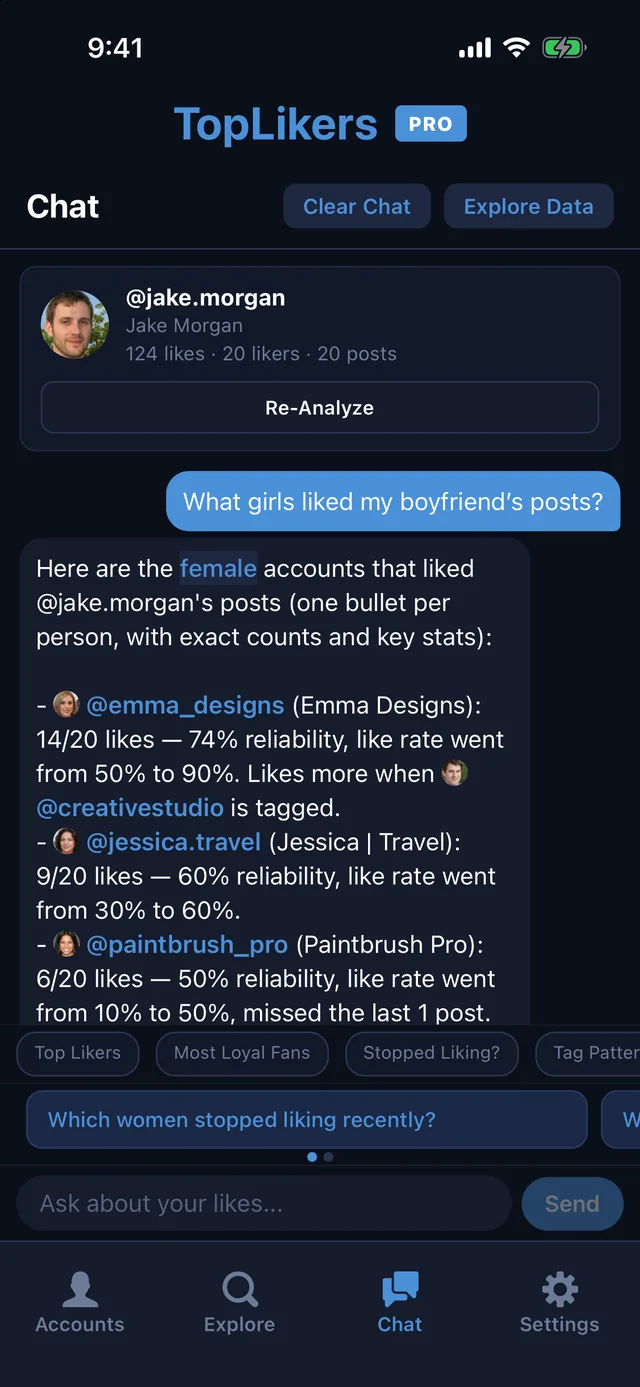
See everything the chat can do.
See who likes any profile the most
TopLikers ranks everyone who liked a profile’s posts and shows who’s most loyal. For iPhone.

See everything TopLikers can show you →
Frequently asked questions
Is there an Instagram likes viewer that works on private accounts?
Yes, for private accounts you follow, since your account can see those posts.
Will someone know I viewed who liked their post?
Instagram doesn’t notify people when you open a likes list.
Can I see likes when the count is hidden?
The number is hidden, but the list of accounts is often still available. See our guide to hidden likes.
Is TopLikers an Instagram like tracker?
Yes. Re-analyze a profile to get the latest likes, and see how each liker’s activity has changed.
Can I see every Instagram liker on a profile?
You see the likers on the posts you analyze. Instagram shows up to about 100-150 likes per post.