 TopLikers
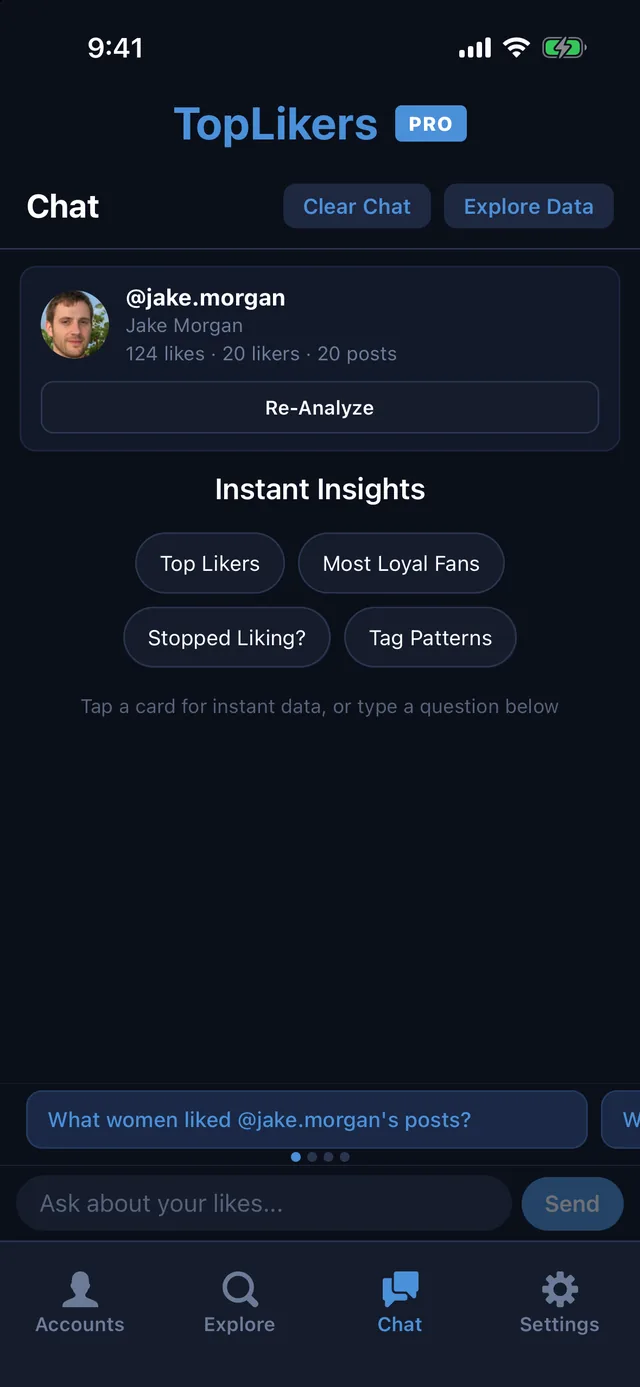
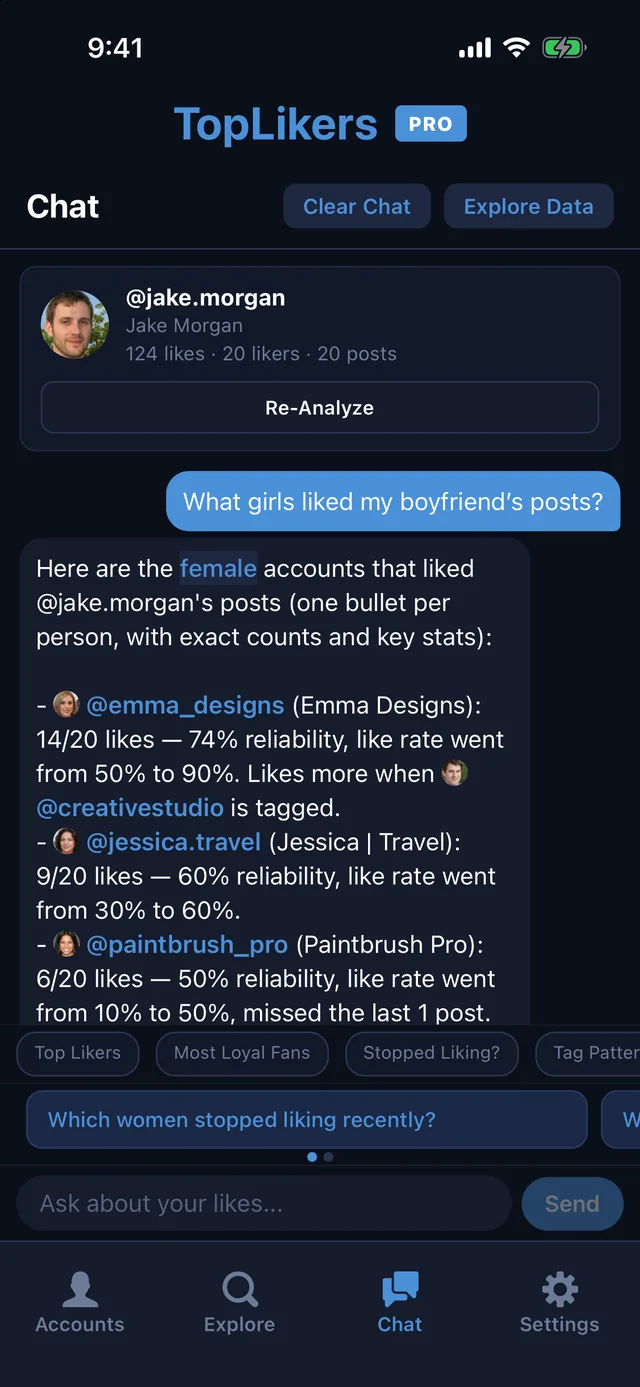
Once TopLikers has analyzed a profile, the chat lets you question the whole list of likers in plain English. Ask what girls liked your boyfriend’s posts, who stopped liking, or who likes more when someone’s tagged. Here’s everything it can do.
Want this for someone else? See who liked anyone’s post on Instagram, including friends, partners, and private accounts you follow.
In this guide
How to open the chat
Add a profile and tap Analyze first, since the chat answers from the likes on the posts you analyzed. Then open the Chat tab, or tap Chat with this user’s likes in Explore.
The card at the top shows which profile you’re asking about, with its likes, likers, and posts. Re-analyze from there whenever you want fresher data.
Start with Instant Insights
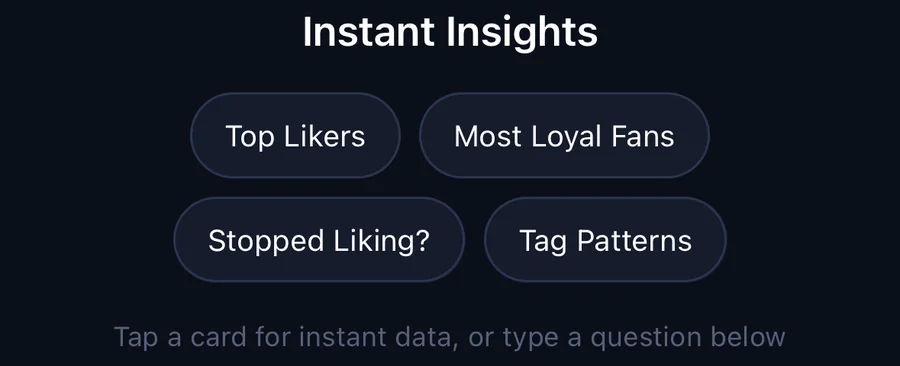
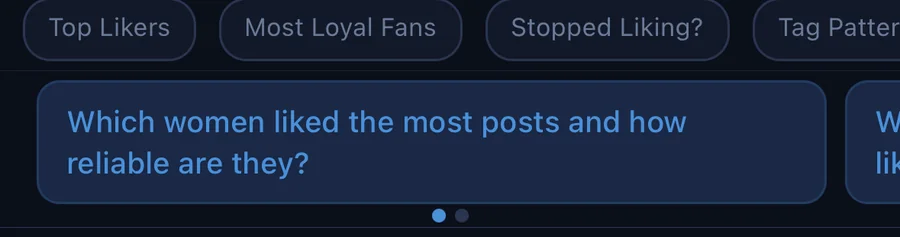
Four buttons give you an answer in one tap, with nothing to type.
| Button | What you get |
|---|---|
| Top Likers | Who liked the most posts |
| Most Loyal Fans | Who likes nearly everything since they first liked |
| Stopped Liking? | Who used to like and has dropped off |
| Tag Patterns | Who likes more or less depending on who is tagged |
Sort likers by traits
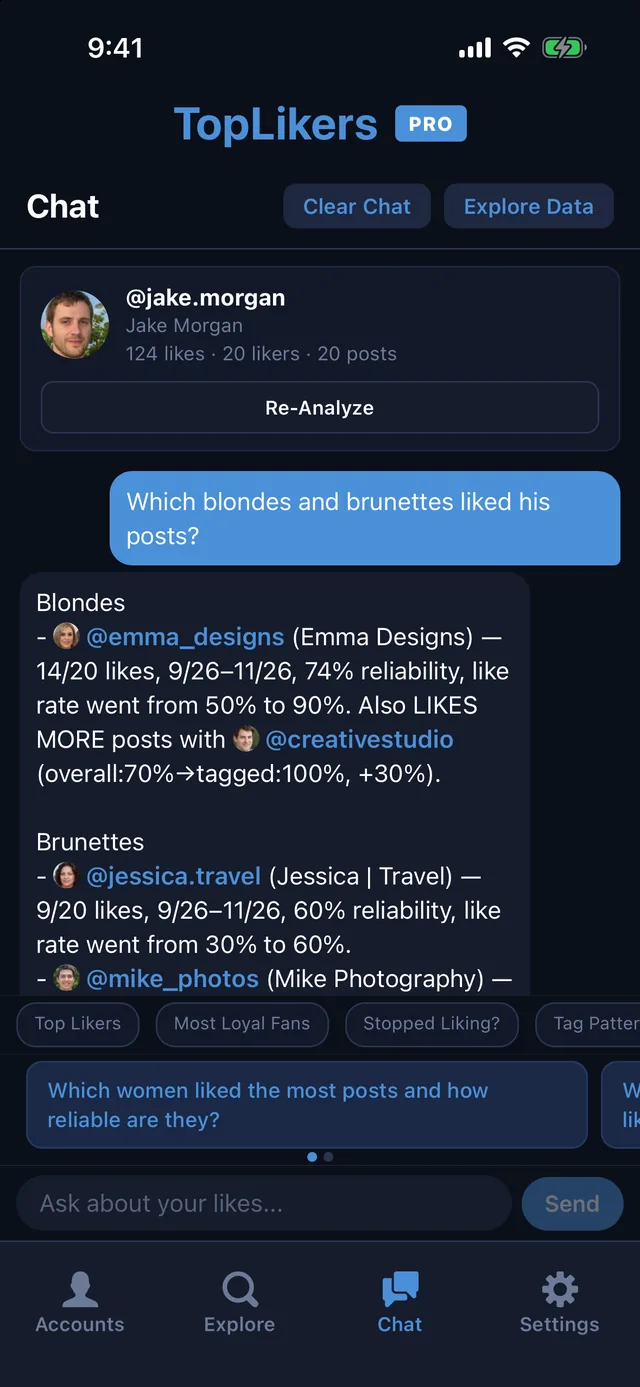
This is what the regular lists can’t do. Ask for likers by traits like male, female, blonde, or brunette, and the chat pulls out everyone who matches.
You can group them, too. Ask for blondes and brunettes in one question and each gets its own list.
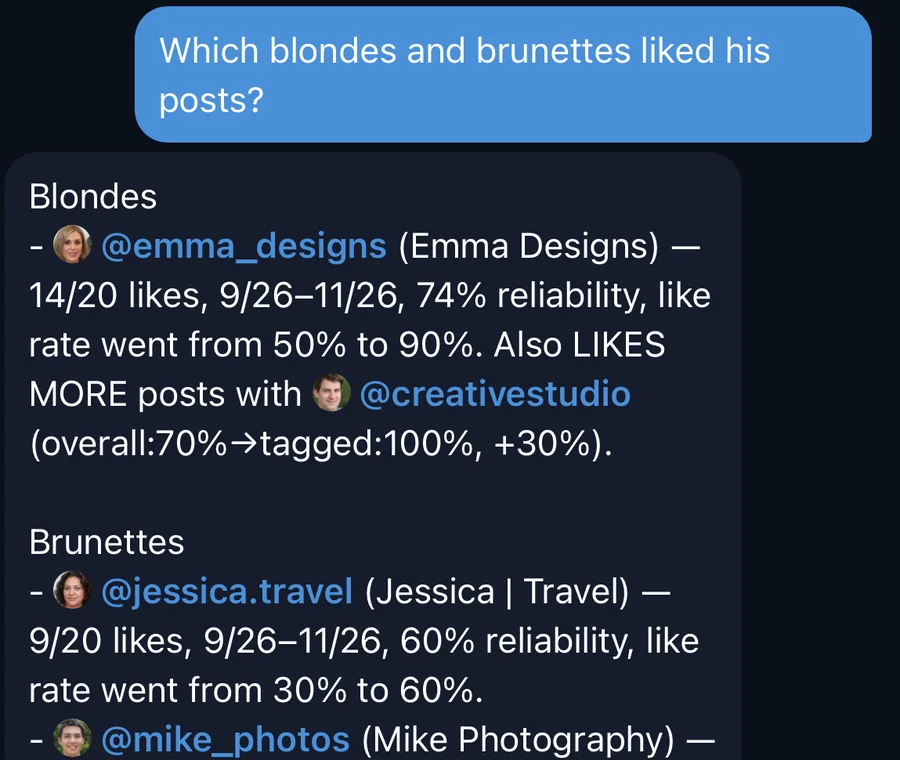
The first time you ask, TopLikers runs a quick scan of the likers’ profile pictures. After that, trait questions answer right away. Trait sorting is part of Pro.
How to read an answer
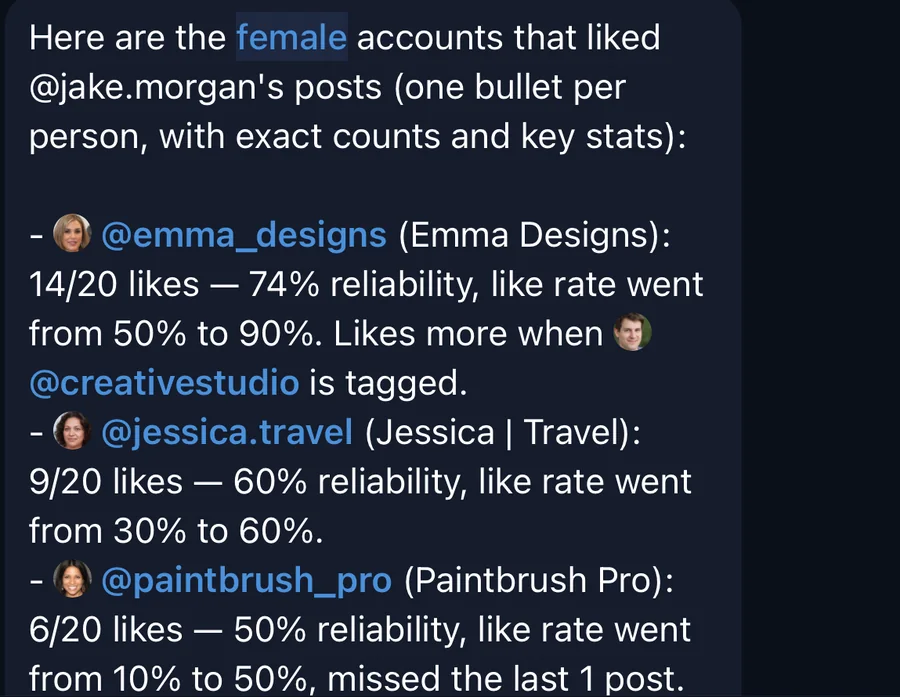
Every person in an answer comes with their numbers, so you can see more than a name.
| In the answer | What it means |
|---|---|
| 14/20 likes | They liked 14 of the 20 posts analyzed |
| 74% reliability | The share of posts they liked since their first like |
| Like rate went from 50% to 90% | How their liking changed from earlier posts to recent ones |
| Missed the last 1 post | How many of the newest posts they skipped |
| Likes more when @name is tagged | They like more often when that person is in the post |
The best questions to ask
Who’s liking
- What girls liked my boyfriend’s posts?
- Which guys liked my girlfriend’s pictures?
- Who are her top likers?
- Which blondes and brunettes liked his posts?
What changed
- Who stopped liking recently?
- Who started liking more lately?
- Who missed the last few posts?
- Which women stopped liking recently?
Tags
- Who likes more when @name is tagged?
- Who likes less when @name is tagged?
- Which women liked the most posts with @name tagged?
- Who avoids posts with @name in them?
One person or one post
- Tell me about @name
- Which posts did @name like?
- Which posts did women like the most?
- Who are her most loyal fans?
Keep digging
Answers are built for follow-ups.
- Tap any @username to jump to that person.
- Ask about buttons under an answer start a question about someone it mentioned.
- Suggested questions above the text box change with the conversation, so swipe through them.
- Say who else or keep going and it moves further down the list.
Free and Pro
Free includes a limited amount of chat. Pro unlocks the full chat, trait sorting, and every liker on the list. See everything else TopLikers can show you.
See who likes any profile the most
TopLikers ranks everyone who liked a profile’s posts and shows who’s most loyal. For iPhone.

See everything TopLikers can show you →
Frequently asked questions
Can I ask about a friend’s or partner’s posts?
Yes. Add any profile your account can view, analyze it, and ask away.
How does the chat know who’s blonde or brunette?
It scans likers’ profile pictures, so treat it as a best guess.
Can it look at more than one profile at once?
It answers about the profile you’ve selected. Switch profiles in Accounts.
Do I have to use the chat?
No. It’s optional. Everything in Explore works without it.
Why does the chat say to analyze first?
It answers from the likes on the posts you analyzed, so it needs those first.