 TopLikers
Instagram doesn’t have a list of the people who like your posts the most. You can work it out by hand for a few posts, or have an app do it for all of them.
Want this for someone else? See who liked anyone’s post on Instagram, including friends, partners, and private accounts you follow.
In this guide
What Instagram shows you
The closest built-in view is your Following list. Open your profile, tap Following, and look for Least interacted with and Most shown in feed. Those describe how you interact with others, not who interacts with you.
Do it by hand
- Open your last 10 posts.
- Open the likes list on each one.
- Write down each name and count how often it shows up.
That’s fine for a small account and painful for anyone else.
Rank them with TopLikers
Step 1 Add the profile
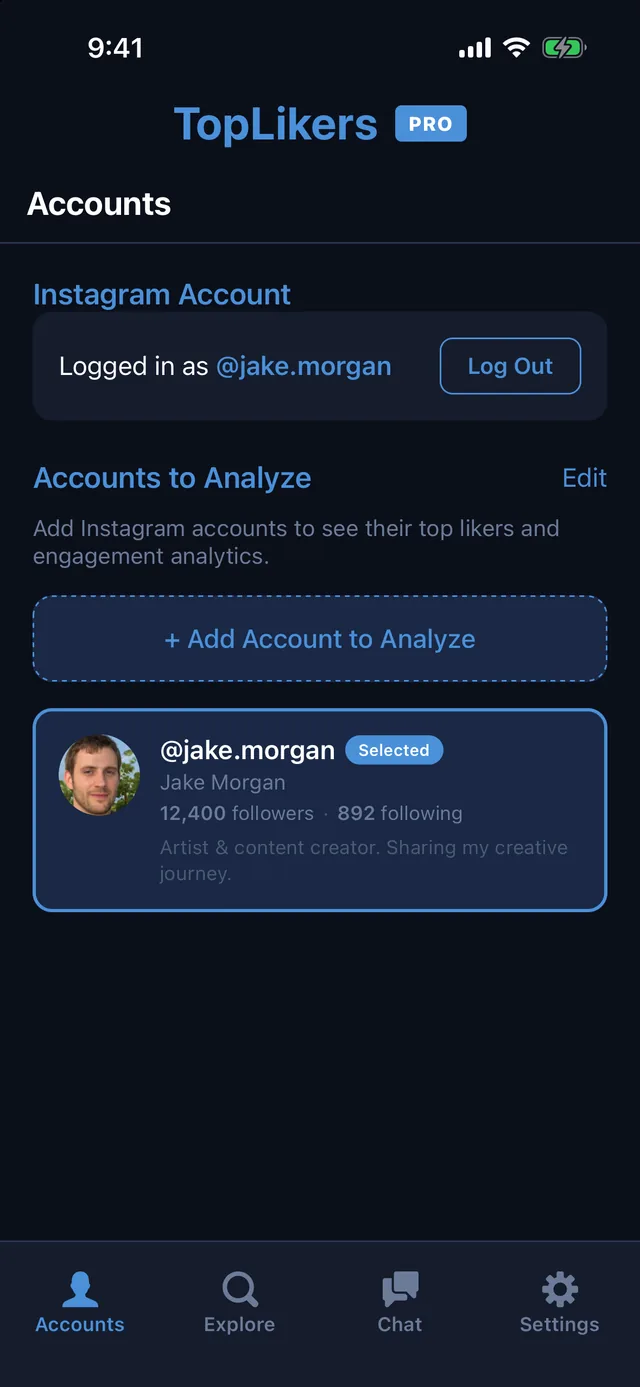
Install TopLikers, log in through Instagram, and open Accounts. Tap Add Account to Analyze and type the username. It can be yours, a friend’s, or a partner’s, public or private, as long as your account can see it.
Step 2 Tap Analyze
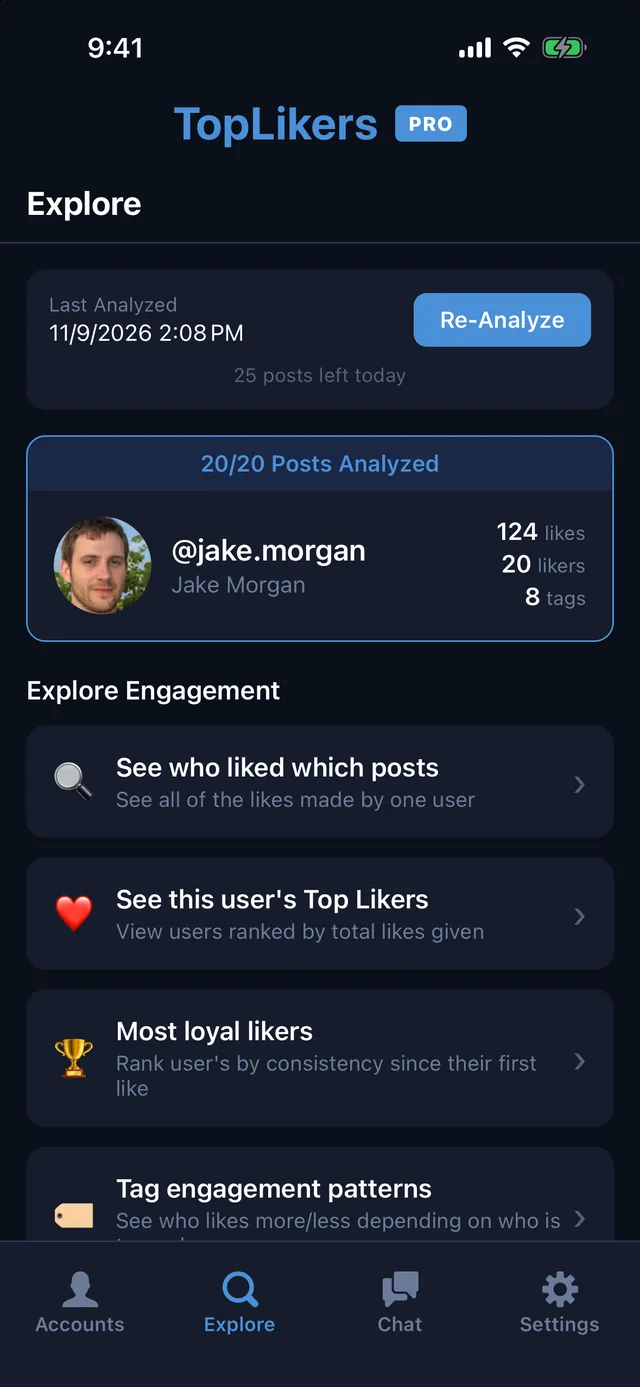
Open Explore and tap Analyze Now. Pick how many posts to read, and TopLikers goes through the likes on each one. When it finishes you get a menu of everything you can see.
Step 3 Open your Top Likers
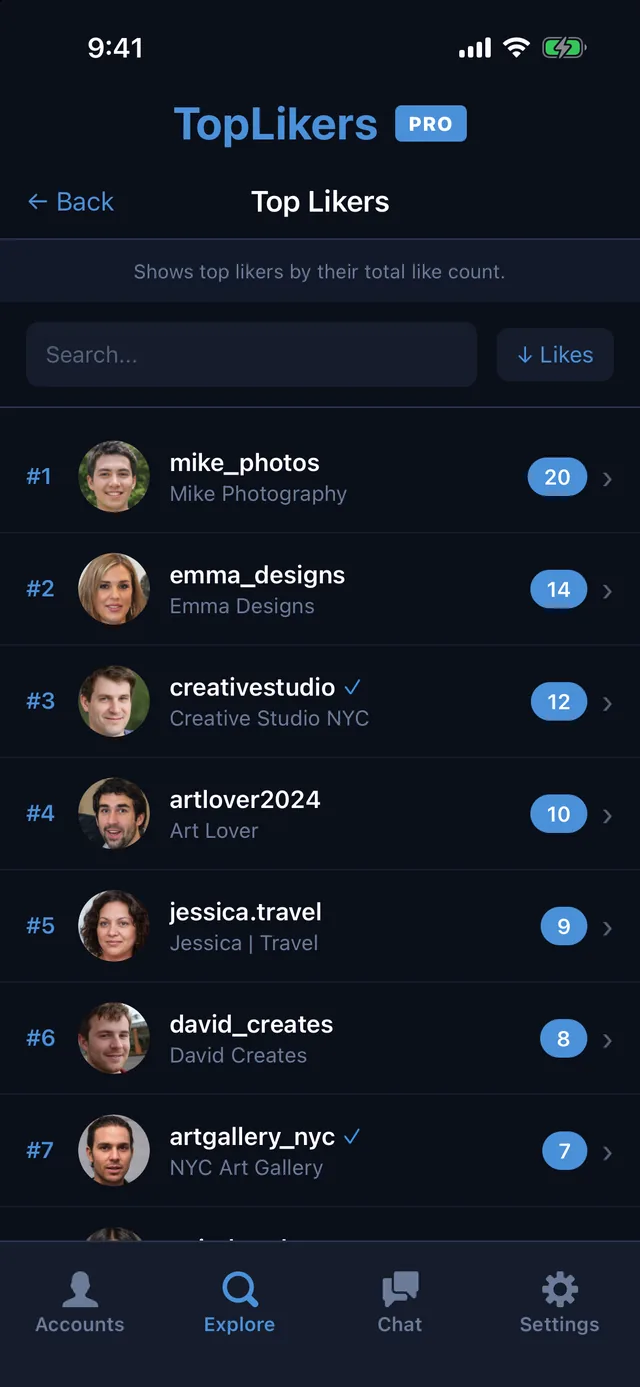
Tap See this user’s Top Likers. Everyone is ranked with the number of posts they liked. Search for a name, or tap anyone to dig in.
Top likers vs. most loyal
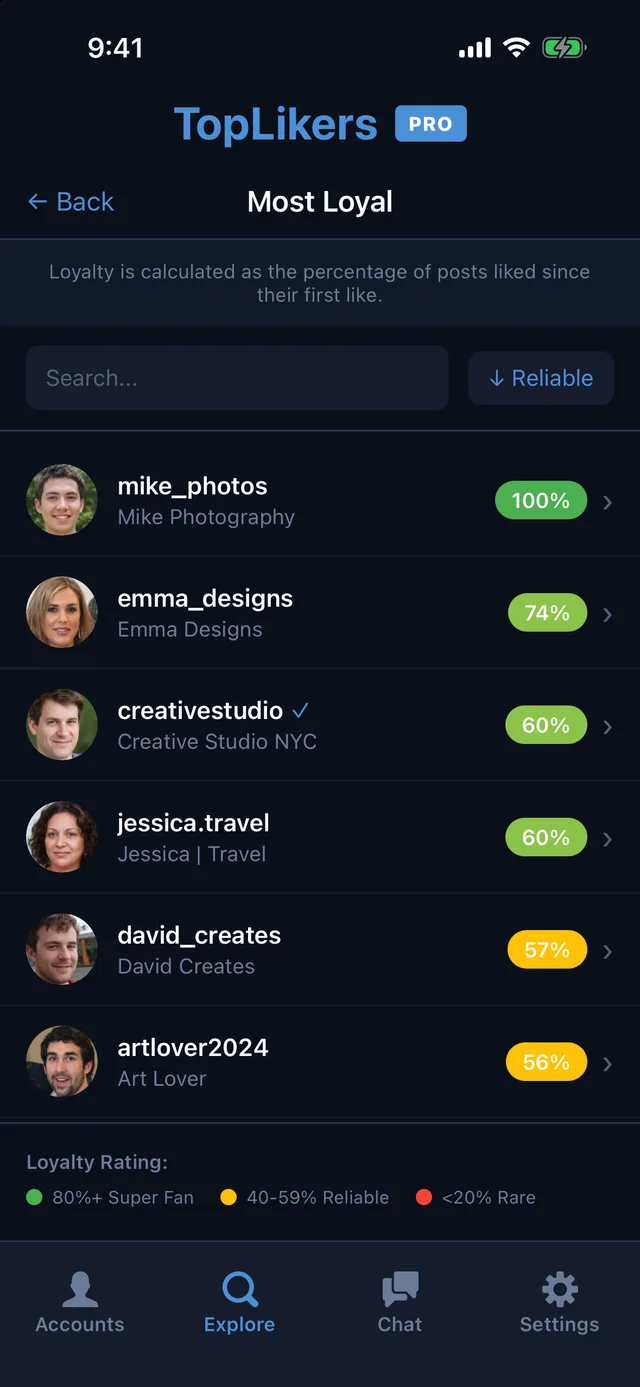
The person with the most likes isn’t always the most consistent. Most loyal likers shows what percentage of your posts someone liked since their first like, so a new follower who likes everything ranks above someone who liked a lot of old posts and drifted away.
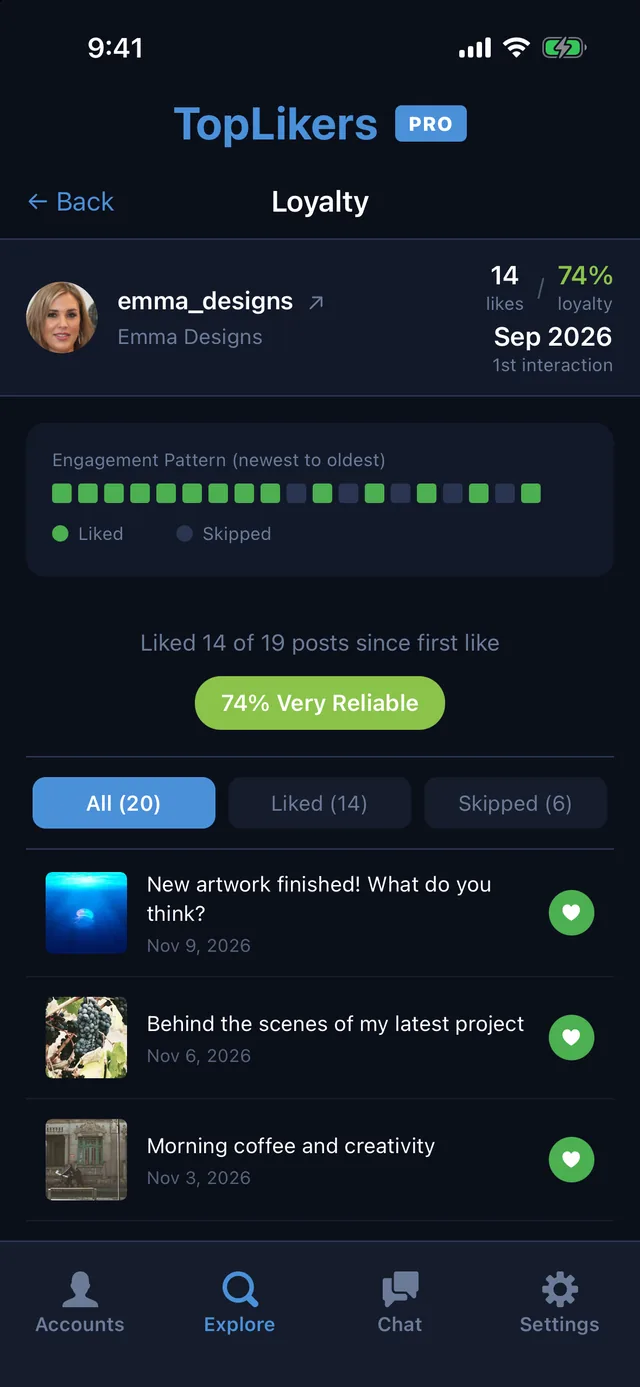
Tap anyone on the list to see their pattern, post by post, from newest to oldest.
See who stopped liking
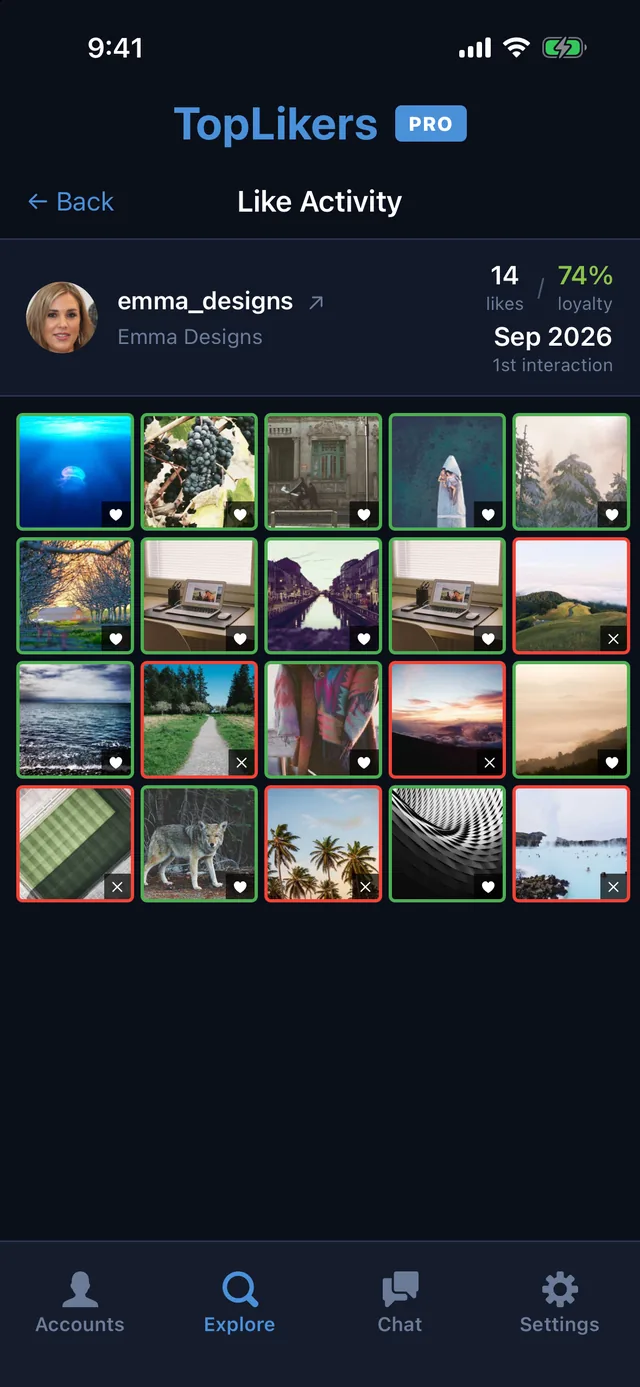
Tap any person to see their Post Activity. You get a grid of your posts showing which ones they liked and which they skipped, so a gap is easy to spot.
Or just ask the chat
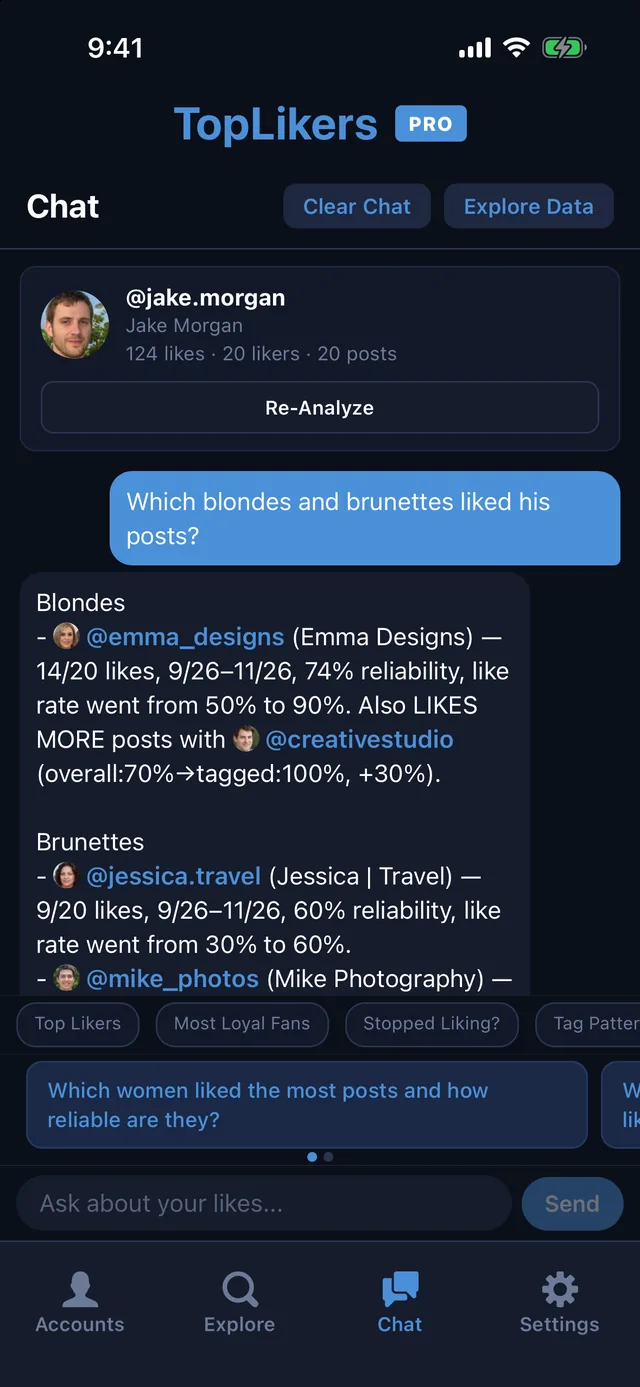
Once your top likers are ranked, ask the chat to narrow them down: which women like your posts the most, who stopped liking, or who likes more when a friend’s tagged. See everything the chat can do.
See who likes any profile the most
TopLikers ranks everyone who liked a profile’s posts and shows who’s most loyal. For iPhone.

See everything TopLikers can show you →
Frequently asked questions
Does Instagram show your top fans?
Not for regular posts. There’s no built-in ranking of who likes your posts the most.
Can I do this for someone else’s profile?
Yes, for any profile your account can view.
How many posts can it analyze?
TopLikers Pro can analyze up to 200 posts a day.