 TopLikers
On this page
The chat
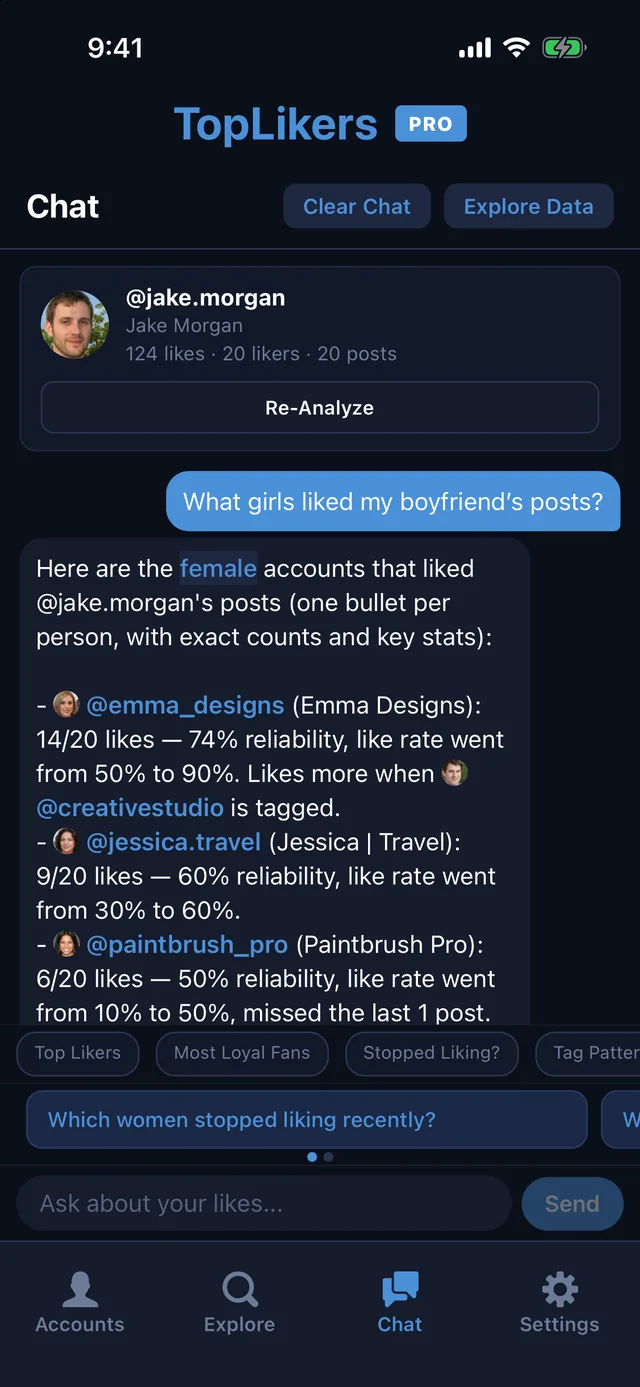
The chat is the fastest way to get answers. Open Chat, or tap Chat with this user’s likes in Explore, and ask about the profile you analyzed in plain English.
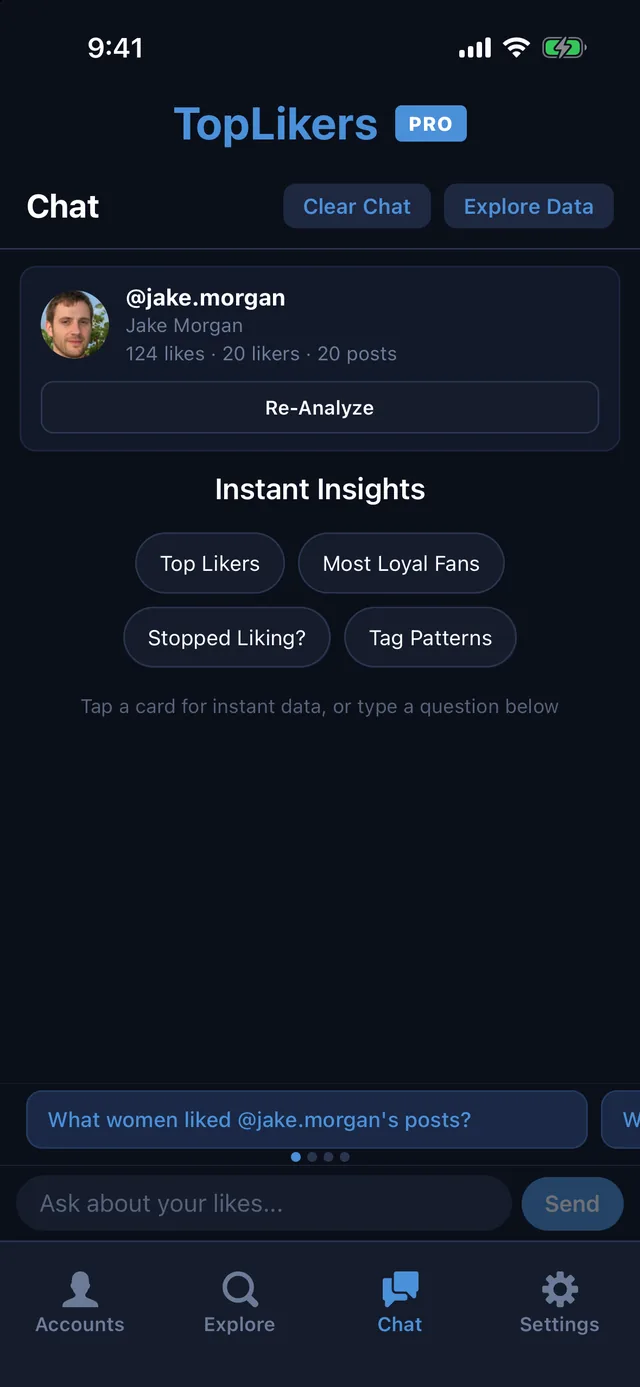
Instant Insights
Four one-tap answers sit at the top of the chat: Top Likers, Most Loyal Fans, Stopped Liking?, and Tag Patterns. Tap one and it loads the answer right into the conversation, ready for a follow-up.
Sort likers by traits
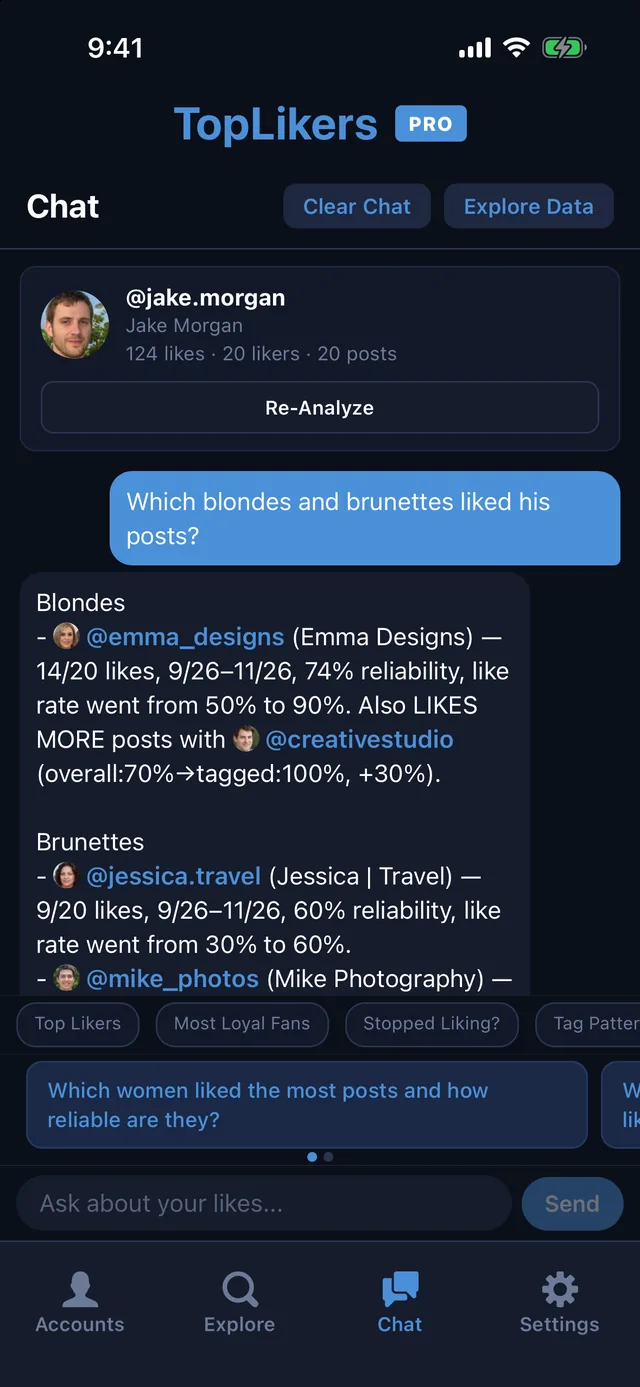
Ask for likers by traits like male, female, blonde, or brunette, and the chat lists the people who match, with their like counts and how consistent they are. The first time you ask, TopLikers runs a quick scan of the likers’ profile pictures. Trait sorting is part of Pro.
Things to ask
- What girls liked my boyfriend’s posts?
- Which guys liked my girlfriend’s pictures?
- Which blondes and brunettes liked his posts?
- Who stopped liking recently?
- Who are her most loyal fans?
- Which posts did women like the most?
- Who likes more when @name is tagged?
- Tell me about @name
Follow the thread
Every @username in an answer is tappable, so you can jump straight to that person. Ask about buttons and suggested questions appear under each answer, so you can keep digging without typing.
See who liked which posts
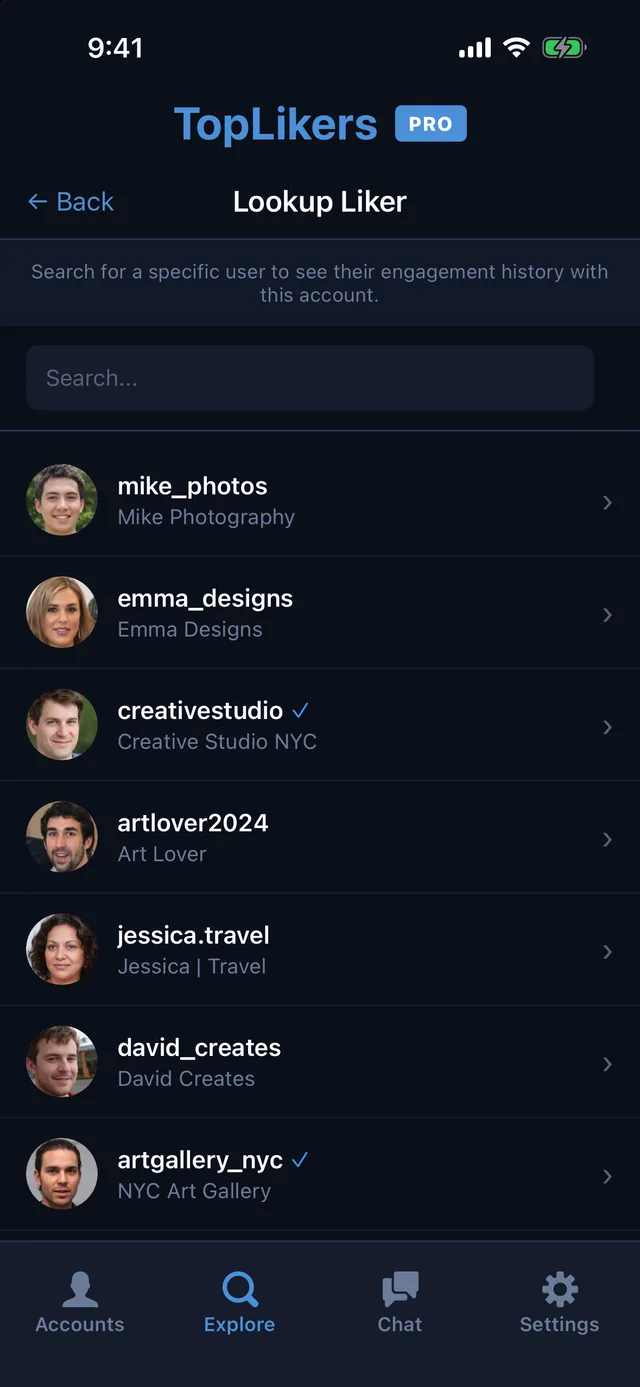
This is how you see what one person has been liking on a profile. Open See who liked which posts and you get Lookup Liker, a searchable list of everyone who liked anything on that profile.
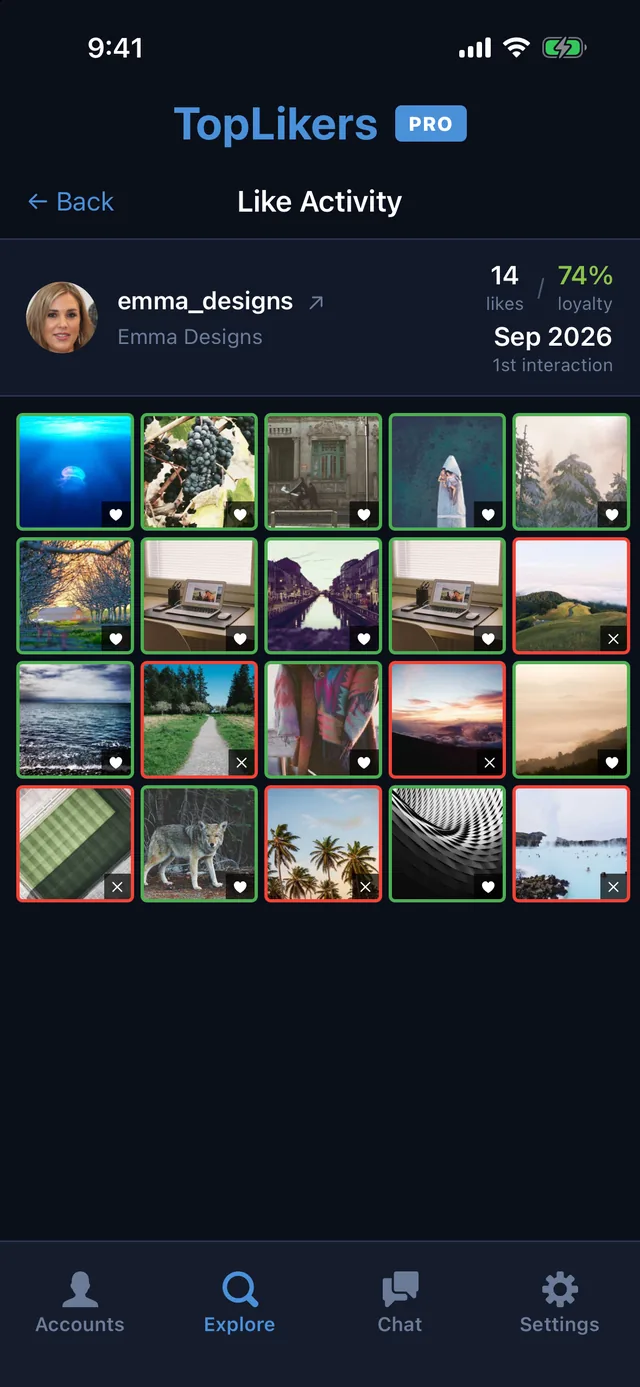
Tap a name and you get their numbers at the top: how many posts they’ve liked, their loyalty score, and when they first liked something. Below that are three buttons that each go deeper.
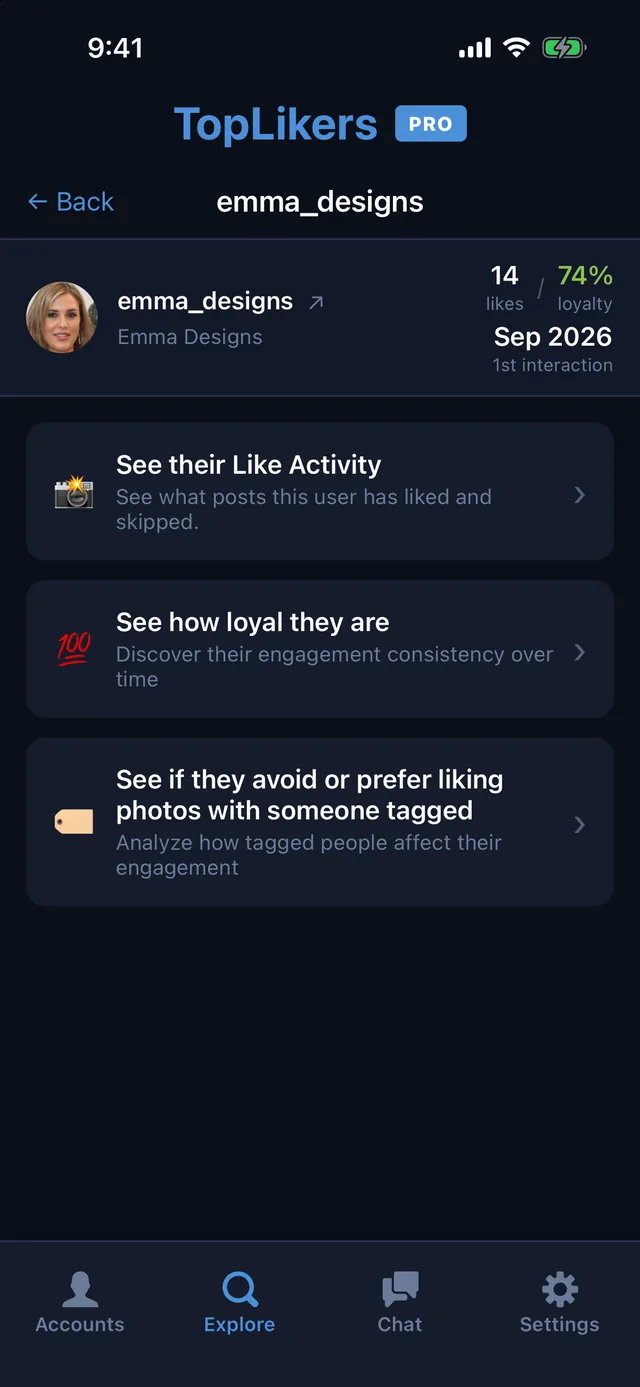
See their Like Activity
A grid of every analyzed post. A heart means they liked it, and an X means they skipped it, so a gap jumps out right away.
See how loyal they are
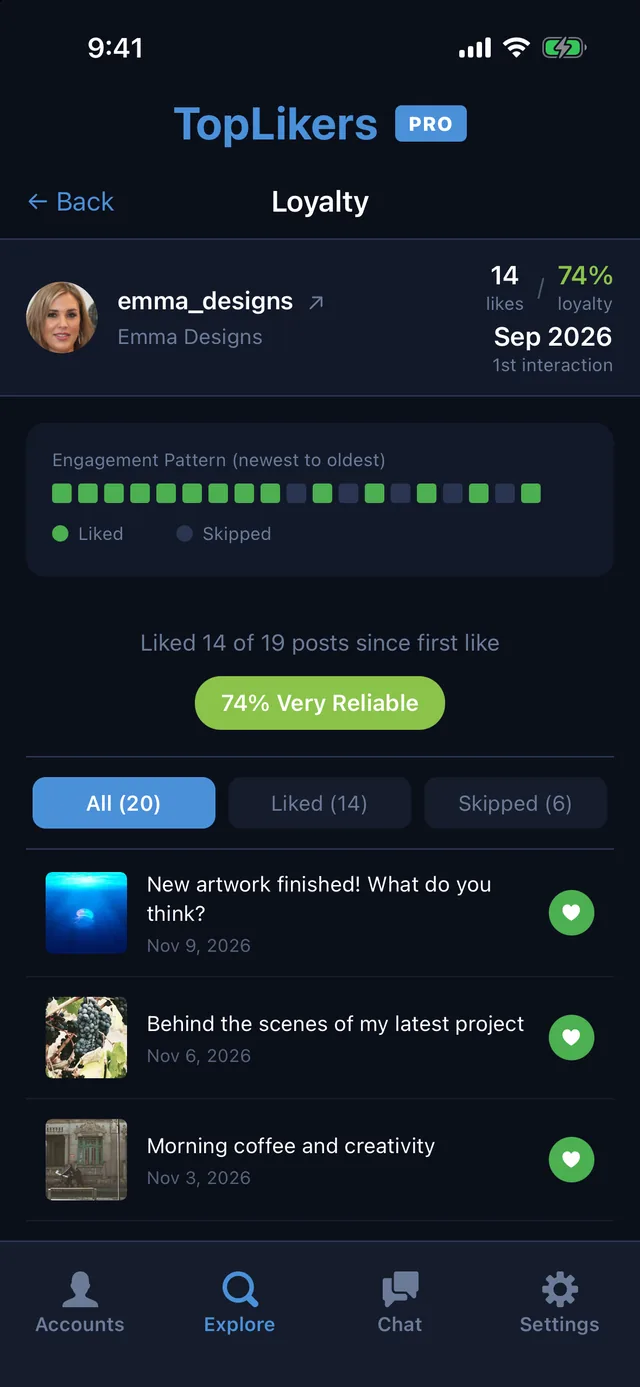
Their pattern from newest to oldest, with a colored square for each post. It shows how many posts they’ve liked since their first like and gives them a rating. Switch between All, Liked, and Skipped to see the exact posts.
See if they avoid or prefer liking photos with someone tagged
Compares how often they like posts overall with how often they like posts when a specific person is tagged.
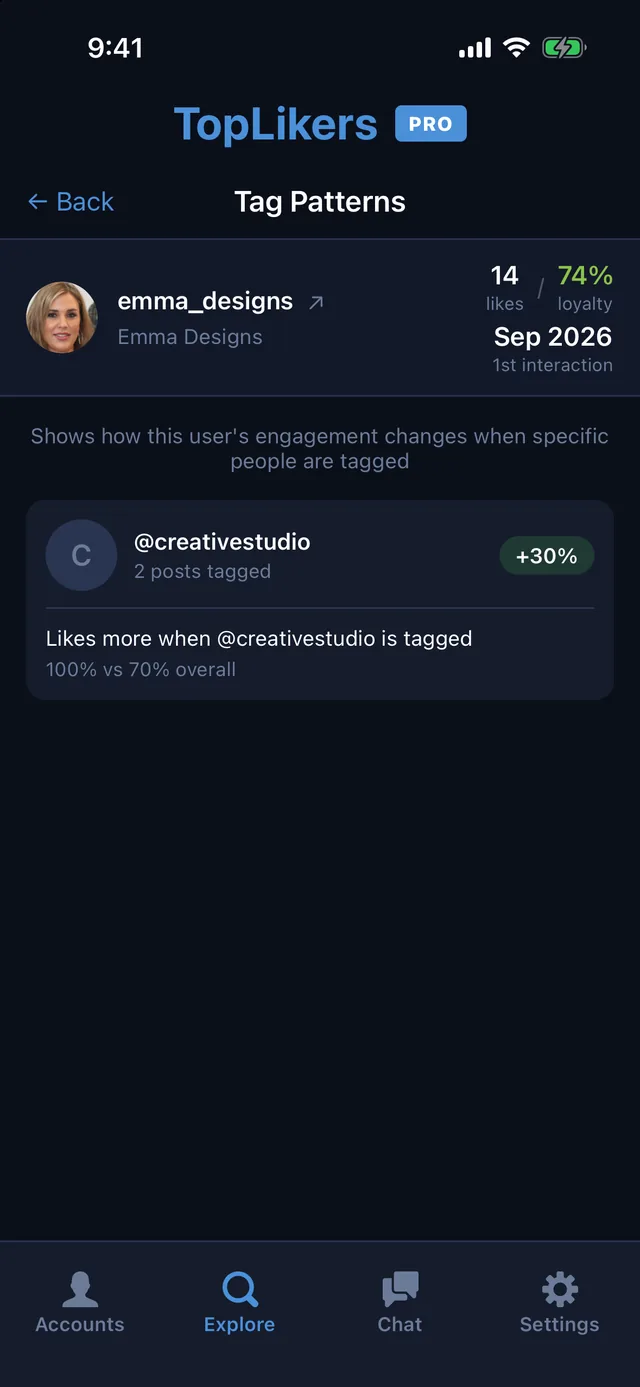
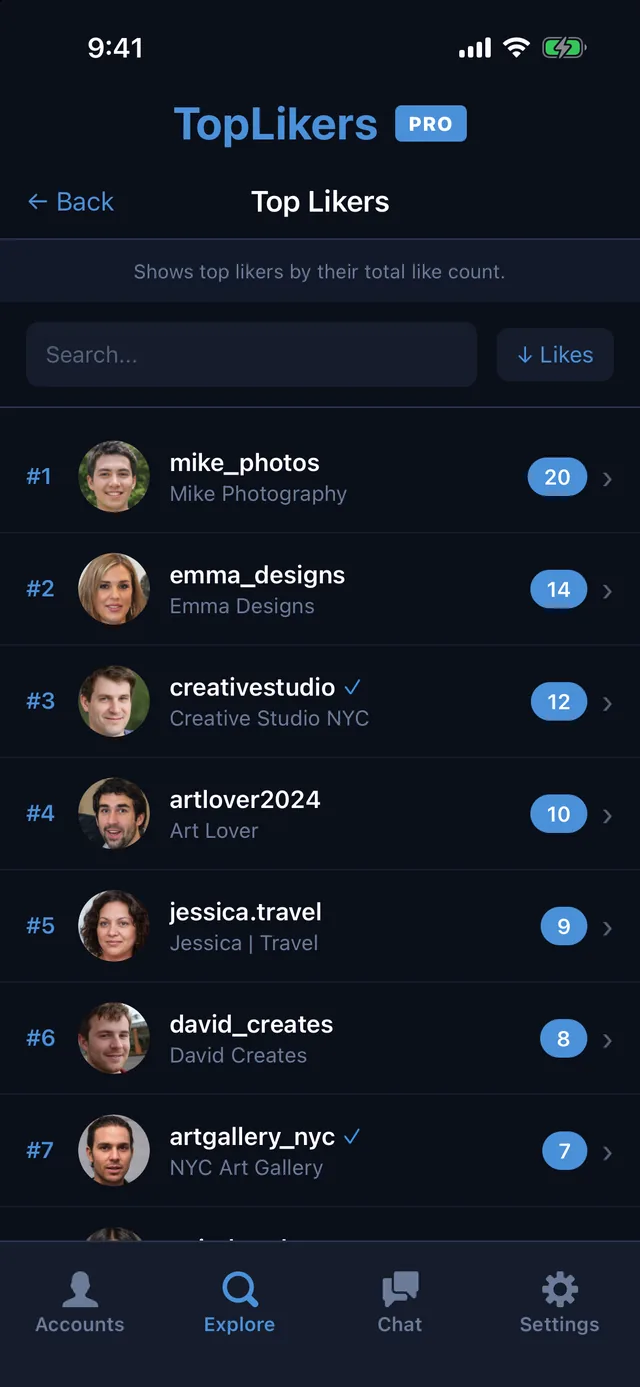
See this user’s Top Likers
One ranked list of everyone who likes the profile’s posts, with the number of posts each person liked. It’s the quickest way to see who’s liking your friend’s or partner’s pictures the most.
Search for a name, change the sort, or tap anyone to open their details.
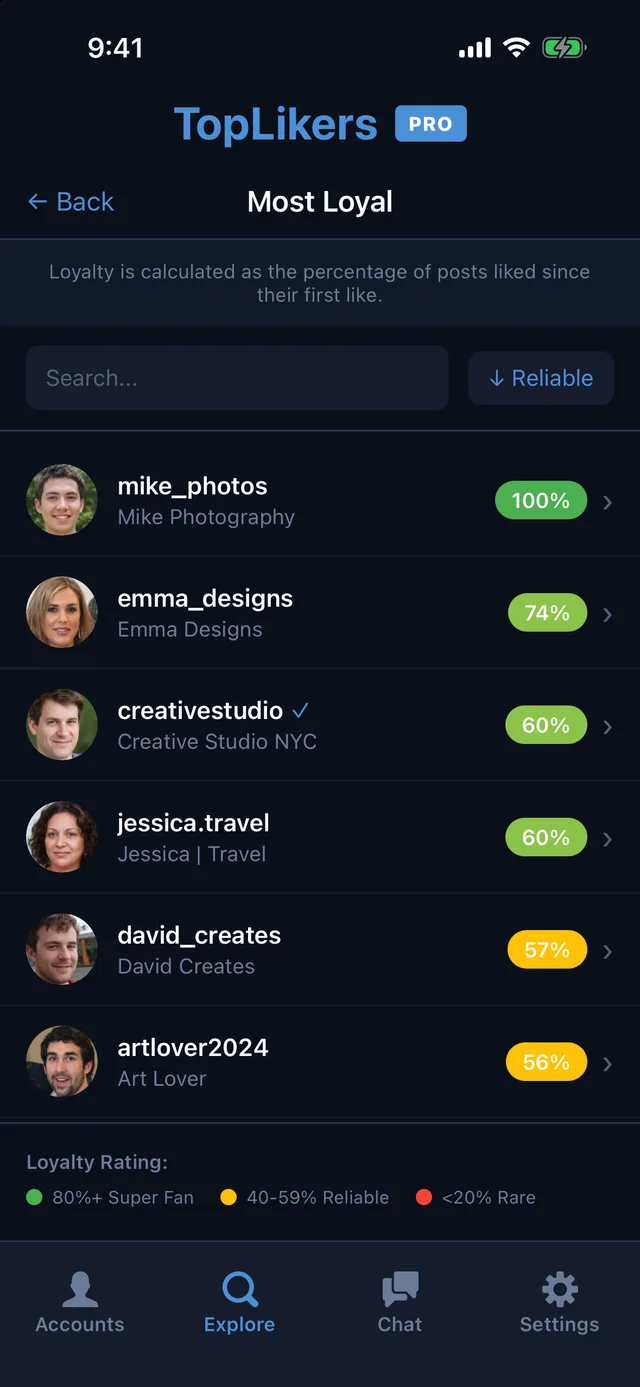
Most loyal likers
Top Likers counts the likes. Most loyal likers shows who’s consistent. Each person’s score is the percentage of posts they liked since their first like, so someone new who likes everything ranks above someone who liked a lot of old posts and drifted off.
Scores are color coded, from Super Fan at 80% and up down to Rare under 20%.
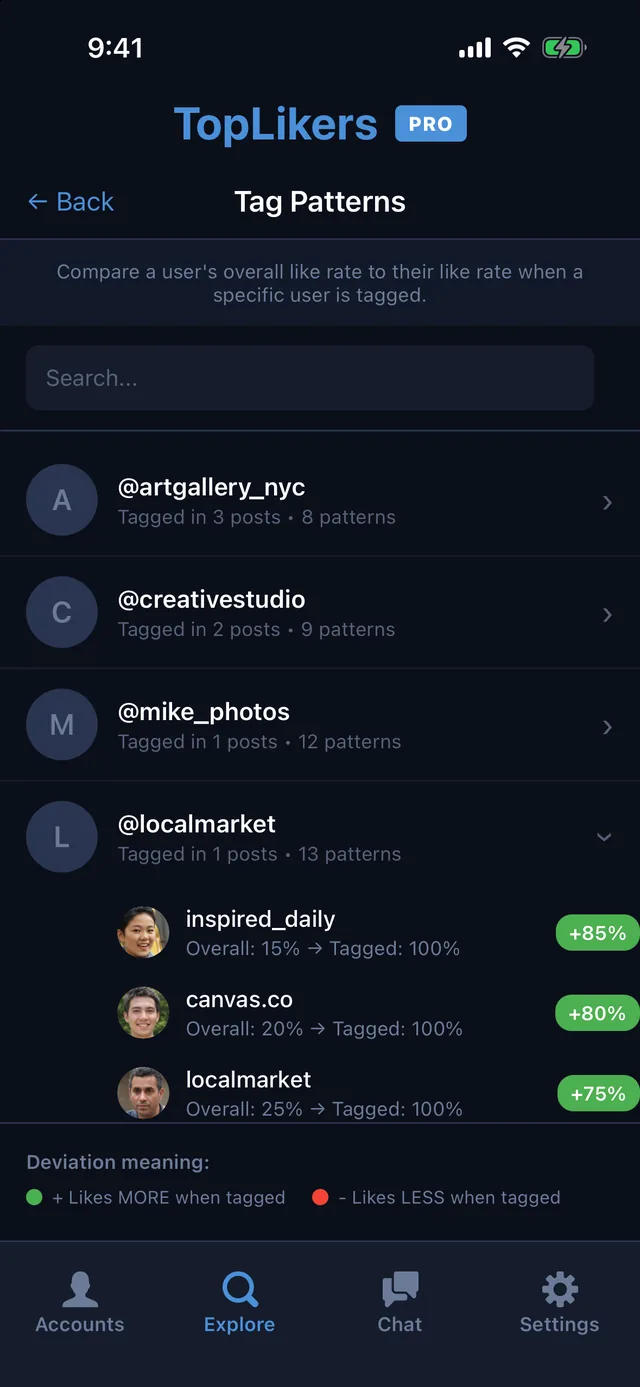
Tag engagement patterns
Pick anyone who’s been tagged on the profile and see who likes more, or less, when that person is in the picture. Each liker shows their overall like rate, their like rate on tagged posts, and the difference.
A green number means they like more when that person is tagged. A red one means they like less.
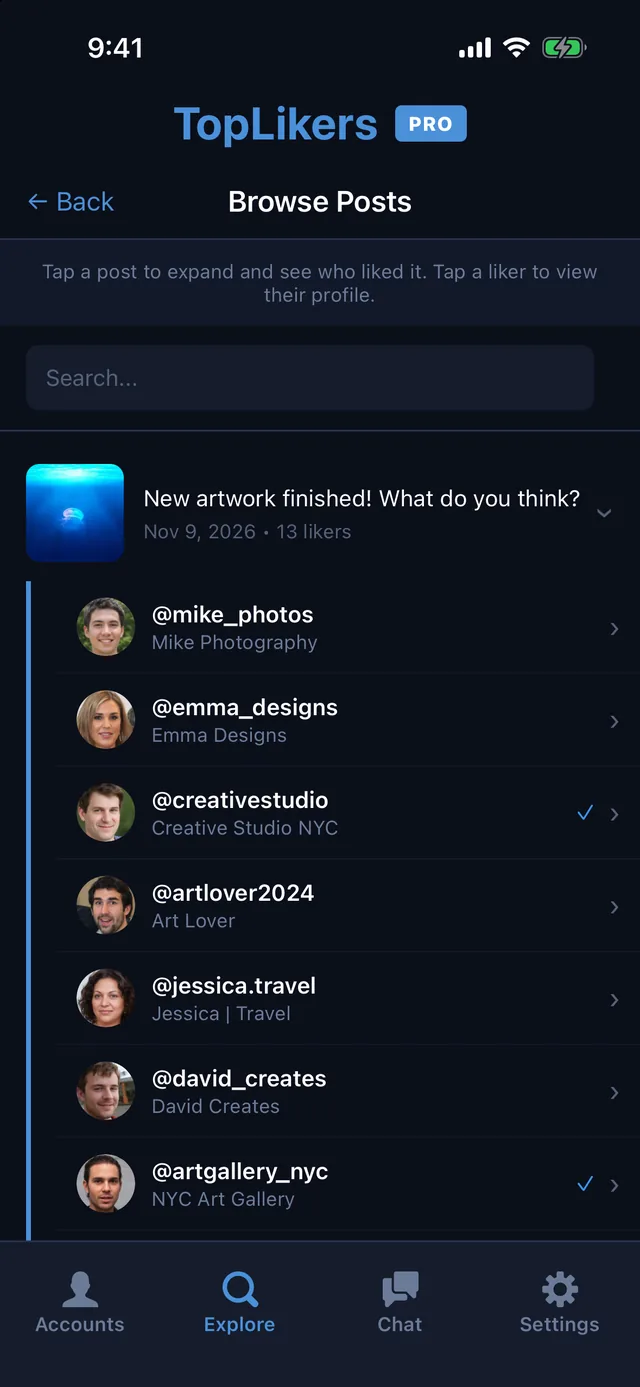
Browse Analyzed Posts
Go post by post. Tap any picture to see everyone who liked it, search by post or person, and tap a liker to open their details.
Export Data
With Pro, export the analyzed data to a CSV file to keep or work with in a spreadsheet.
See who likes anyone’s Instagram posts
TopLikers is an Instagram likes viewer for iPhone.

Frequently asked questions
Which profiles can I use these on?
Any profile your Instagram account can view: your own, a friend’s, or a partner’s, public or private if you follow them.
What’s free and what’s Pro?
Free has a daily limit and shows the top 5 of each list. Pro unlocks the full lists, full chat, trait sorting, up to 200 posts a day, and export.
Do I have to use the chat?
No. The chat is optional. Everything in Explore works on its own.
Does the chat work on any profile?
Yes, on any profile you’ve analyzed.