 TopLikers
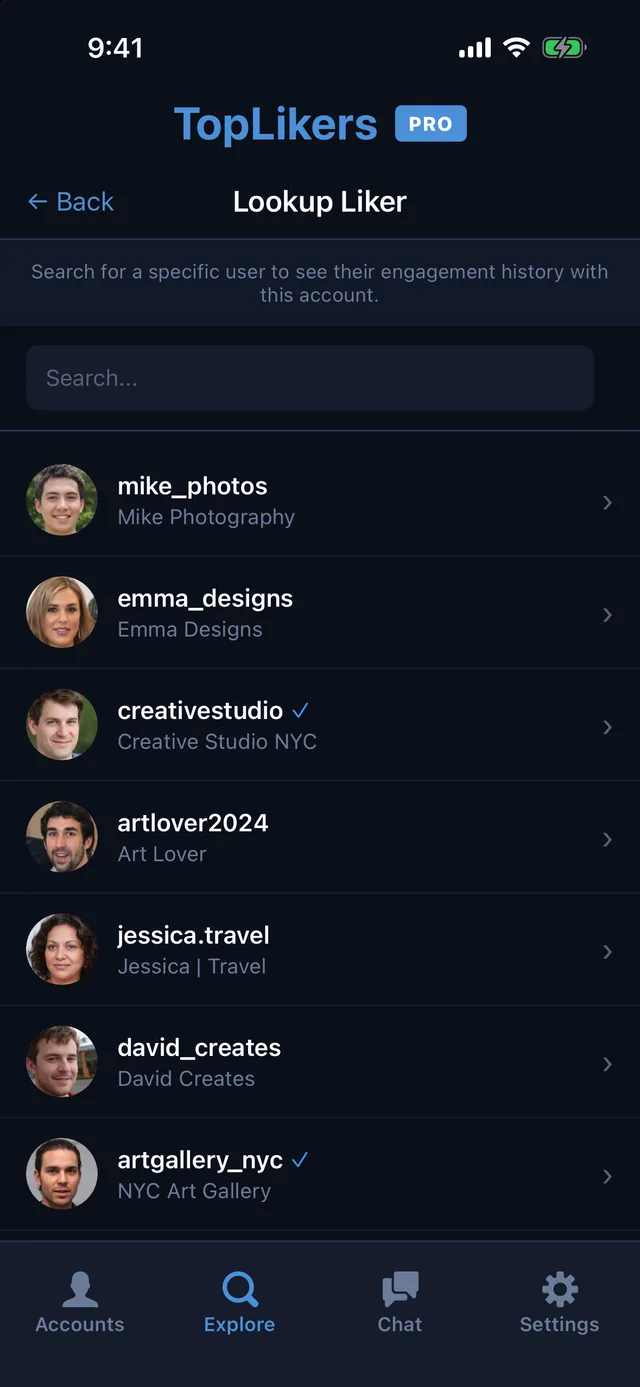
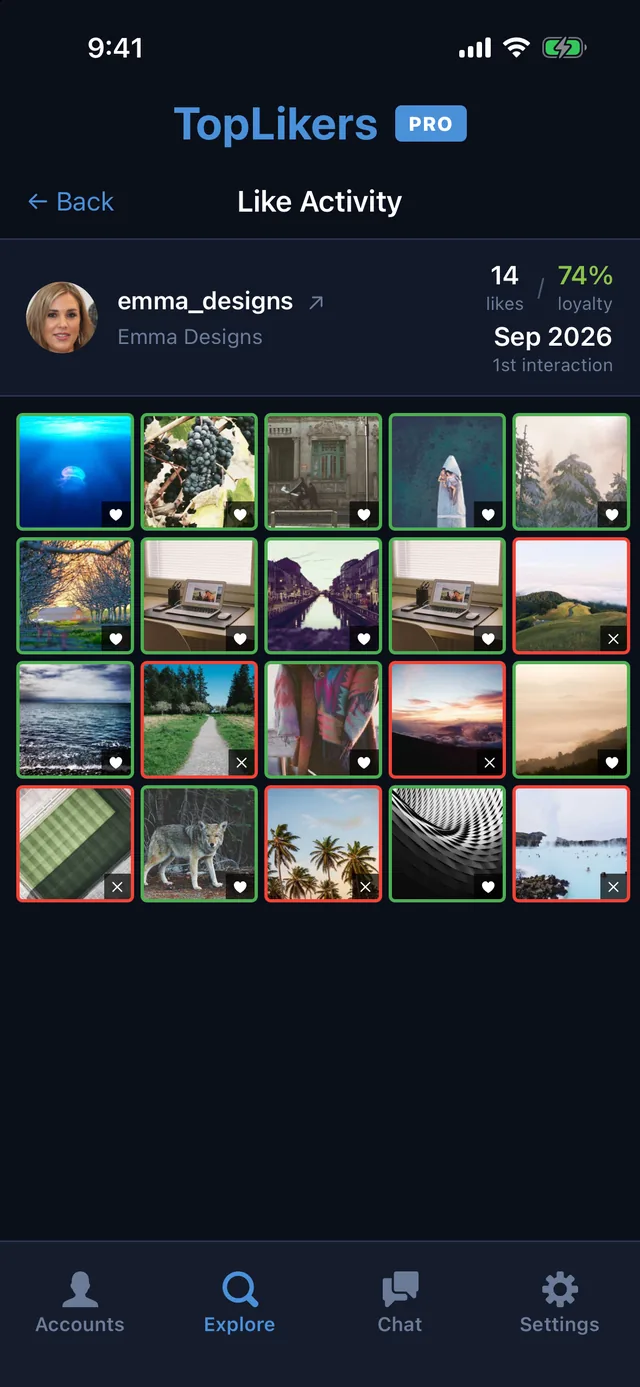
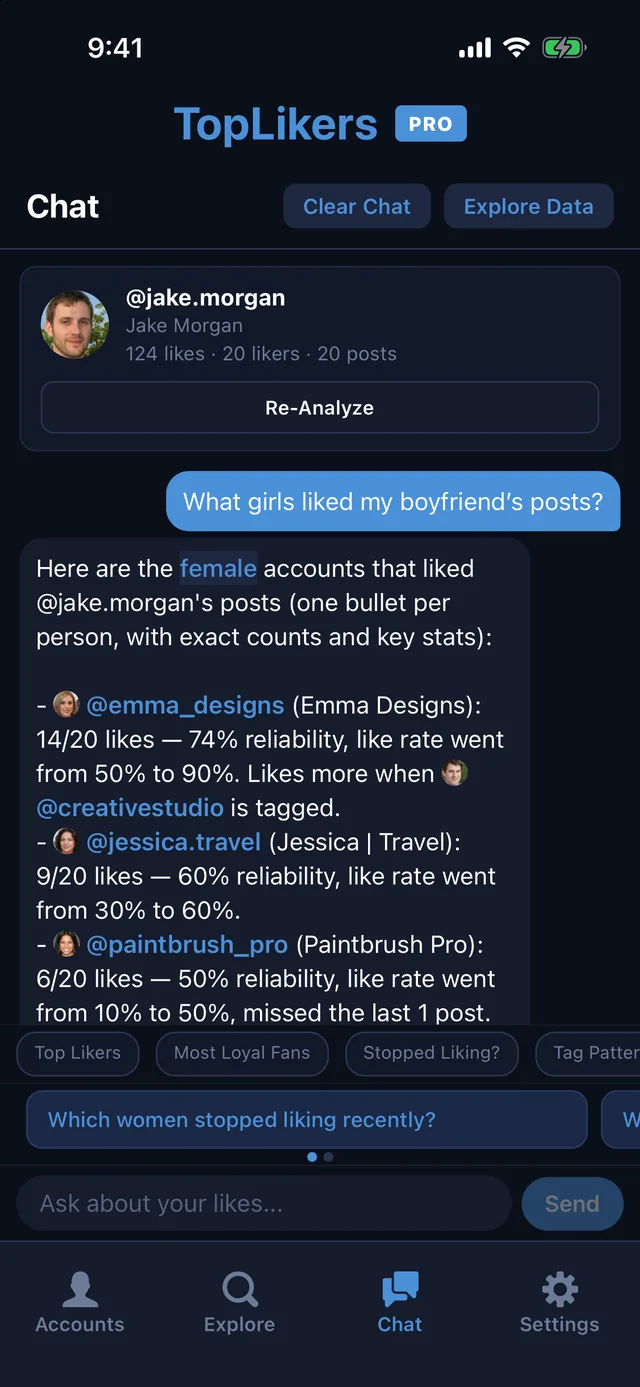
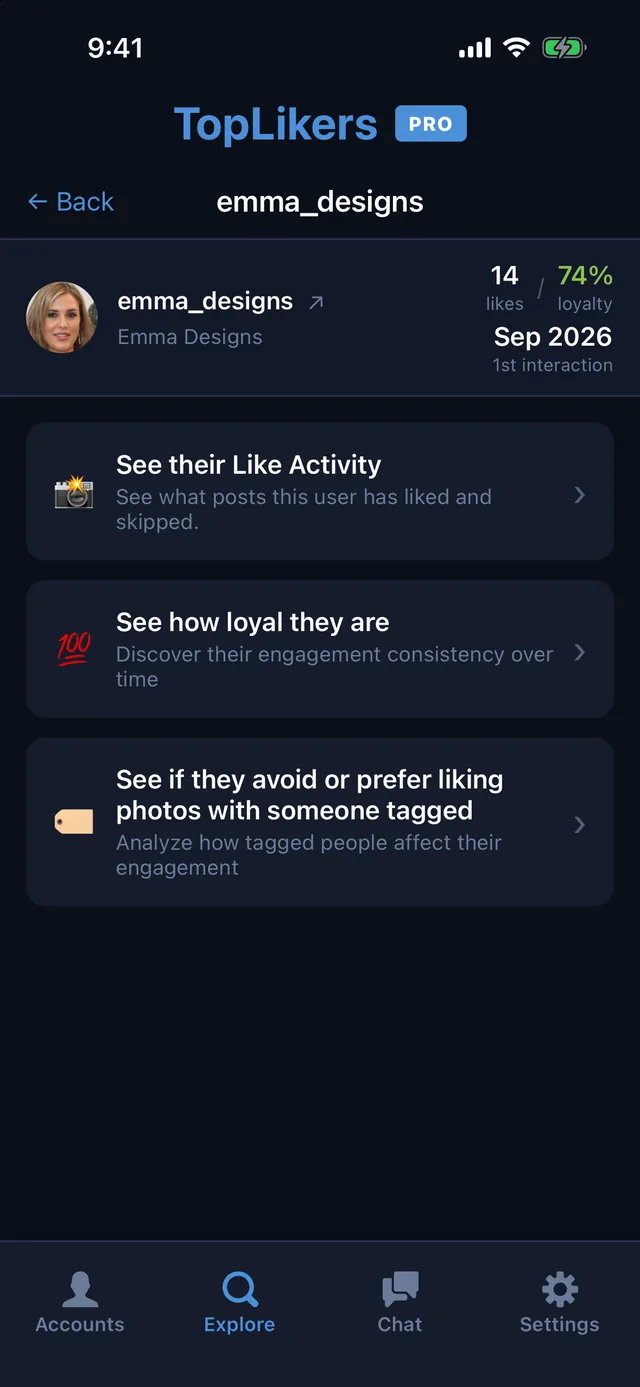
Instagram doesn’t give you a list of what someone likes, and it removed the Following activity tab back in 2019. But the likes are still there on every post you can see. TopLikers pulls them together, so you can see exactly what one person liked on any profile you have access to.
Want this for someone else? See who liked anyone’s post on Instagram, including friends, partners, and private accounts you follow.
In this guide
See what someone liked on a specific page
Say you want to know what someone has been liking on a friend’s page. Instagram would make you open every post and scroll through every likes list. TopLikers does that for you.
- Add the profile in TopLikers. It can be public, or private if your account follows it.
- Tap Analyze.
- In Explore, open See who liked which posts.
- Search for the person and tap their name.
- Tap See their Like Activity.
You get a grid of that profile’s posts showing which ones they liked and which they skipped, plus how many they’ve liked and how consistent they are.
Or just ask
Open Chat and ask something like what girls liked my boyfriend’s posts or who stopped liking recently. You can also narrow it down by traits like blonde, brunette, male, or female.
See everything the chat can do.
Check more than one page
Add more than one profile and analyze each of them to see what someone is liking across the pages you care about.
What you can see
| What | Where |
|---|---|
| Your own liked posts | Your activity on Instagram |
| Whether someone liked one post | That post’s likes list |
| Everything one person liked on a profile | TopLikers |
How to see your own likes
- Open your profile and tap the menu.
- Tap Your activity.
- Tap Likes. Sort or filter by date from there.
See who likes any profile the most
TopLikers ranks everyone who liked a profile’s posts and shows who’s most loyal. For iPhone.

See everything TopLikers can show you →
Frequently asked questions
Can you see what someone likes on Instagram?
Yes, on any profile you can view. TopLikers shows which of that profile’s posts they liked.
Does it work on private accounts?
Yes, if your account follows that private account.
When did Instagram remove the Following tab?
In 2019.
Does someone know if I check their likes?
Instagram doesn’t notify people when you open a likes list.
How many posts have I liked?
Instagram doesn’t show a total. You can scroll through them in Your activity.