 TopLikers
Instagram shows you who liked each of your posts, as long as you open them one at a time. Here’s where to find the list for posts, Reels, and Stories.
Want this for someone else? See who liked anyone’s post on Instagram, including friends, partners, and private accounts you follow.
In this guide
Where to find your likes
| Content | Where to tap | What you see |
|---|---|---|
| Feed post | Liked by [name] and others under the post | Everyone who liked it |
| Reel | The like count under the heart | Everyone who liked it |
| Story | Swipe up on your Story to open viewers | A heart next to anyone who liked it |
| Web | others under the post on instagram.com | Everyone who liked it |
On iPhone or Android
- Open the post on your profile.
- Tap Liked by [name] and others under the photo, or the like count.
- Scroll the list. You can follow or open anyone from here.
On a Reel
Open the Reel and tap the number under the heart. If you only see a heart with no number, the like count may be hidden. Tap the three dots to check.
On a Story
While your Story is live, open it and swipe up. Anyone who liked it has a small heart next to their name in the viewer list. The list goes away after your Story expires, unless you check your archive within 48 hours.
If your like count is hidden
Hiding your like count only hides the number from other people. You can still see the total and the full list on your own post. See how to hide likes on Instagram.
See who liked every picture in one place
Instagram’s list only covers one post at a time. TopLikers reads the likes across all of them, so you can flip through who liked each picture and see who likes you the most.
Step 1 Add the profile
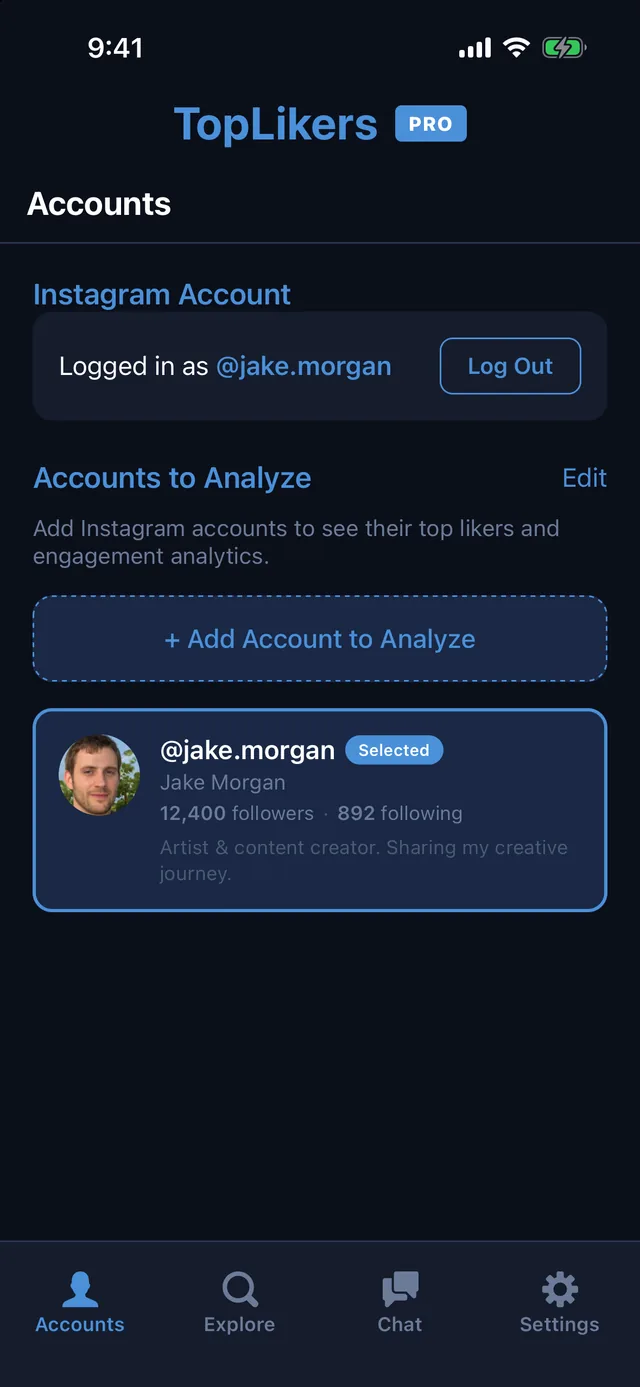
Install TopLikers, log in through Instagram, and open Accounts. Tap Add Account to Analyze and type the username. It can be yours, a friend’s, or a partner’s, public or private, as long as your account can see it.
Step 2 Tap Analyze
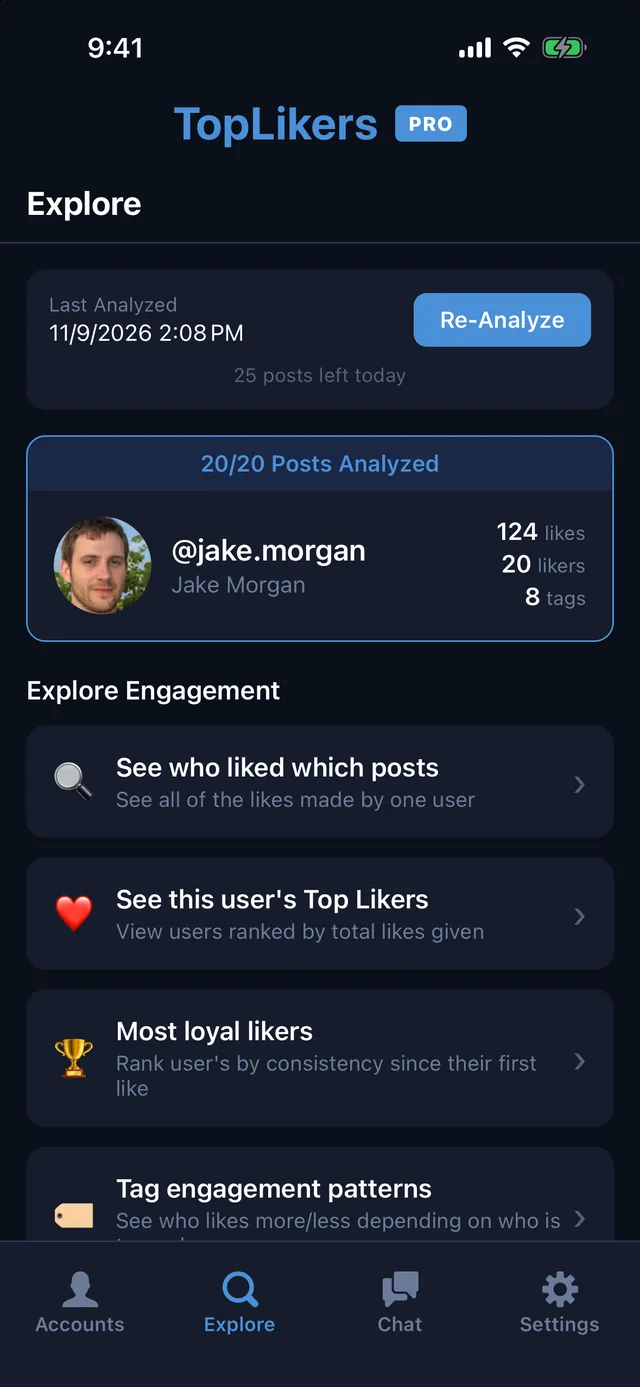
Open Explore and tap Analyze Now. Pick how many posts to read, and TopLikers goes through the likes on each one. When it finishes you get a menu of everything you can see.
Step 3 See who liked each picture
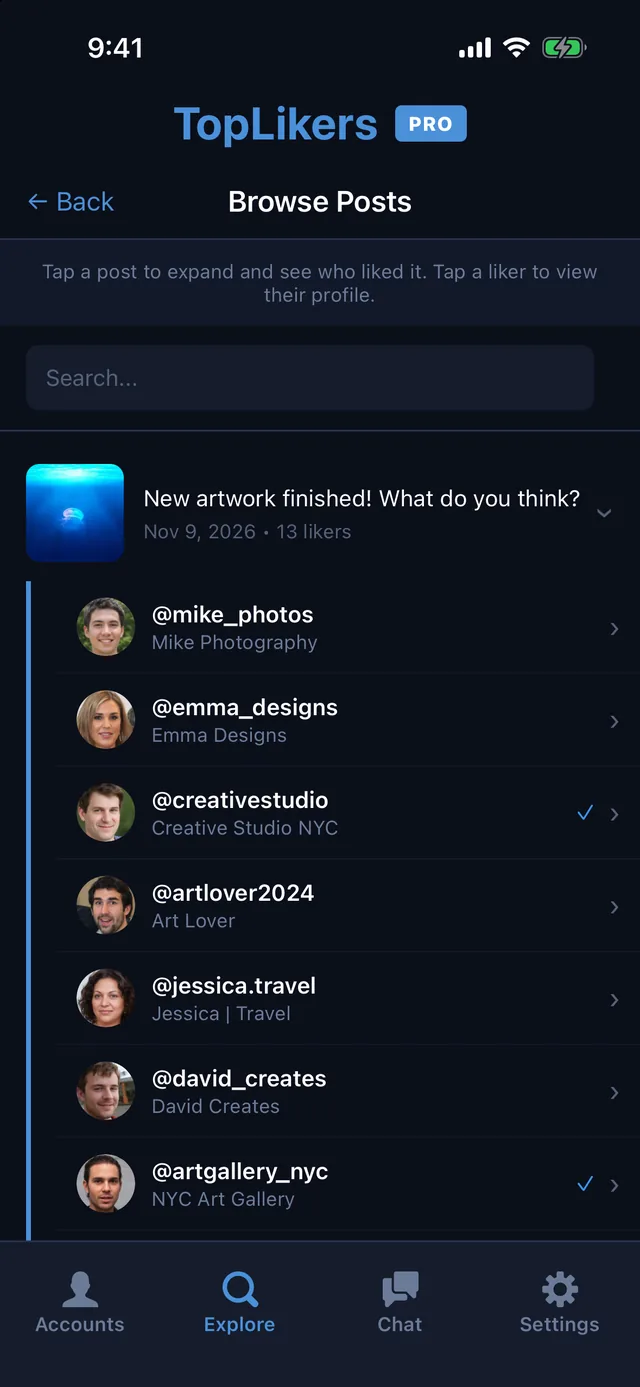
Tap Browse Analyzed Posts, then tap any post. You get the full list of who liked that picture, and you can search by name.
Step 4 See who likes you the most
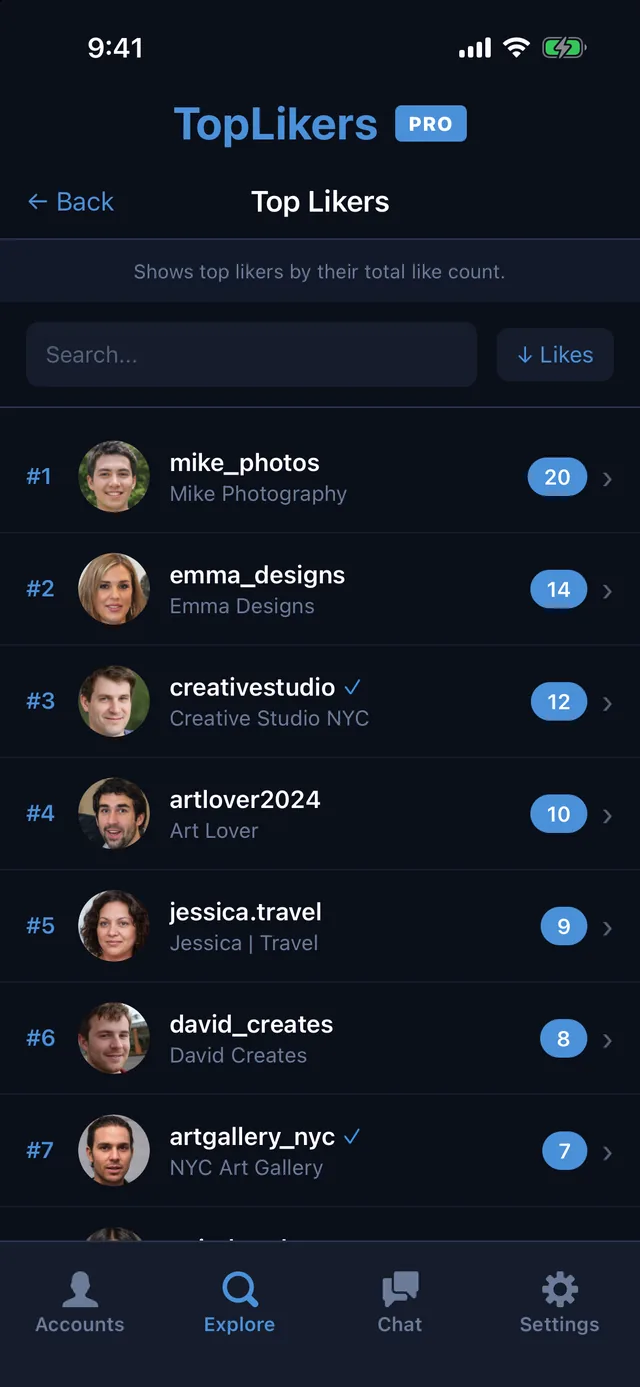
Go back and tap See this user’s Top Likers. Everyone who liked your posts is ranked by how many they liked.
Step 5 Tap anyone to go deeper
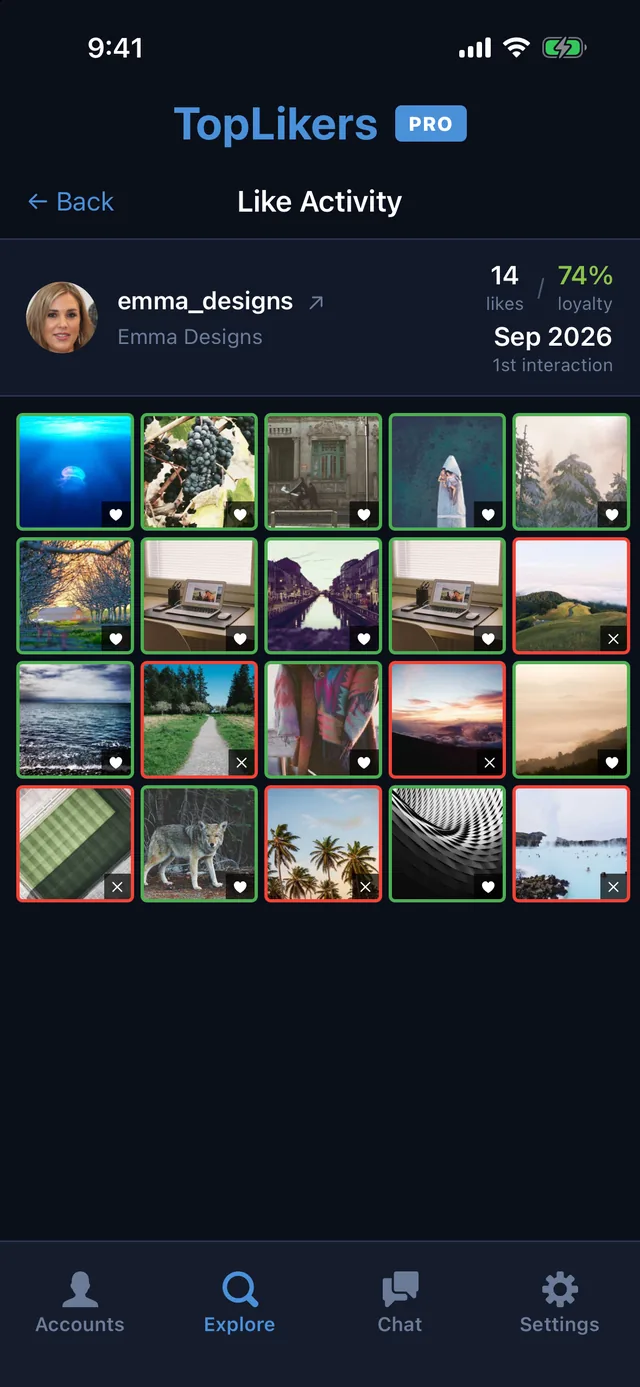
Tap a person, then See their Like Activity. A grid of your posts shows which pictures they liked and which they skipped.
Or just ask the chat
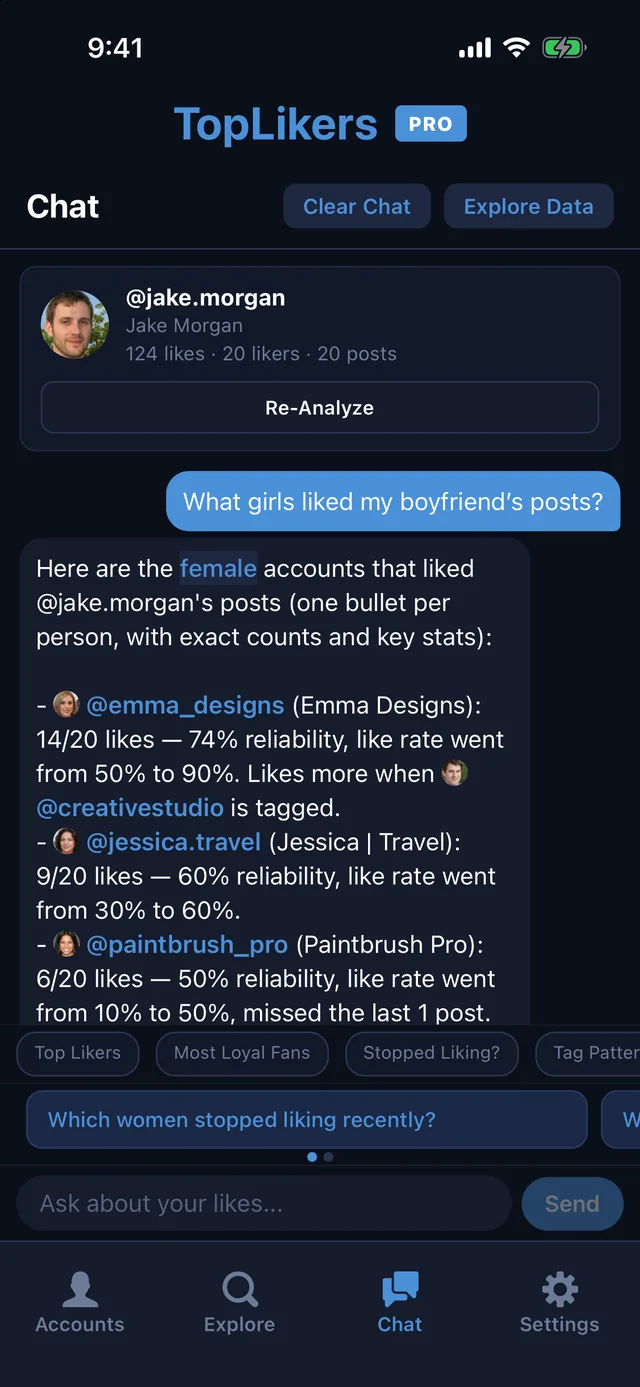
Want it sorted? Ask the TopLikers chat which girls or guys liked your post, or who stopped liking lately. See everything the chat can do.
See who liked someone else’s post
The same thing works on other people. See who liked a friend’s or partner’s pictures, or posts on a private account you follow. Here’s how to see who liked anyone’s post.
See who likes any profile the most
TopLikers ranks everyone who liked a profile’s posts and shows who’s most loyal. For iPhone.

See everything TopLikers can show you →
Frequently asked questions
Can you see who liked your post on Instagram?
Yes. Tap the likes line under the post to see the list of accounts.
Why can’t I see who liked my post?
Update the app and try again, or check on instagram.com. The list can also take a moment to load on posts with a lot of likes.
Are likes listed in order?
Instagram doesn’t say how it orders the list, so don’t read it as a timeline.
Does Instagram Insights show who liked a post?
Insights shows totals, not names. The names are in the likes list on the post.